
Virtual try-on guide
Virtual Hairstyle Try-On Guide: What It Can and Can't Show
A virtual hairstyle preview can show visible direction: silhouette, endpoint, parting, fringe, texture scale, color family, and face framing. It cannot measure natural density, growth direction, shrinkage, maintenance, salon technique, or physical wig construction. This guide explains where to trust the image and where to stop.
Preview limitationsResult reviewDecision guideAI image boundaries
3 min read
Quick answer
Trust visible direction, not physical prediction
Use a virtual hairstyle preview to compare what the image actually shows: silhouette, apparent length, endpoint, parting, fringe, texture scale, broad color family, and face framing. Do not use it to predict natural-hair behavior, maintenance, salon technique, exact dye chemistry, wig fit, density, fiber, or construction. A useful result narrows a visual direction; it does not prove that the real version will behave the same way.
- Useful evidence
- Silhouette, endpoint, parting, fringe, and face framing
- Not measured
- Density, growth direction, shrinkage, and maintenance
- Generated-image check
- Identity, instruction following, and artifacts
- Next authority
- A stylist or current product specifications
The most important question is not whether a generated hairstyle looks polished. It is whether the image gives reliable evidence for the decision you are making. A clean preview may still be useless if it changes your face, ignores the requested endpoint, or encourages conclusions about texture and upkeep that a photograph cannot support.
What the Preview Can Show Reliably
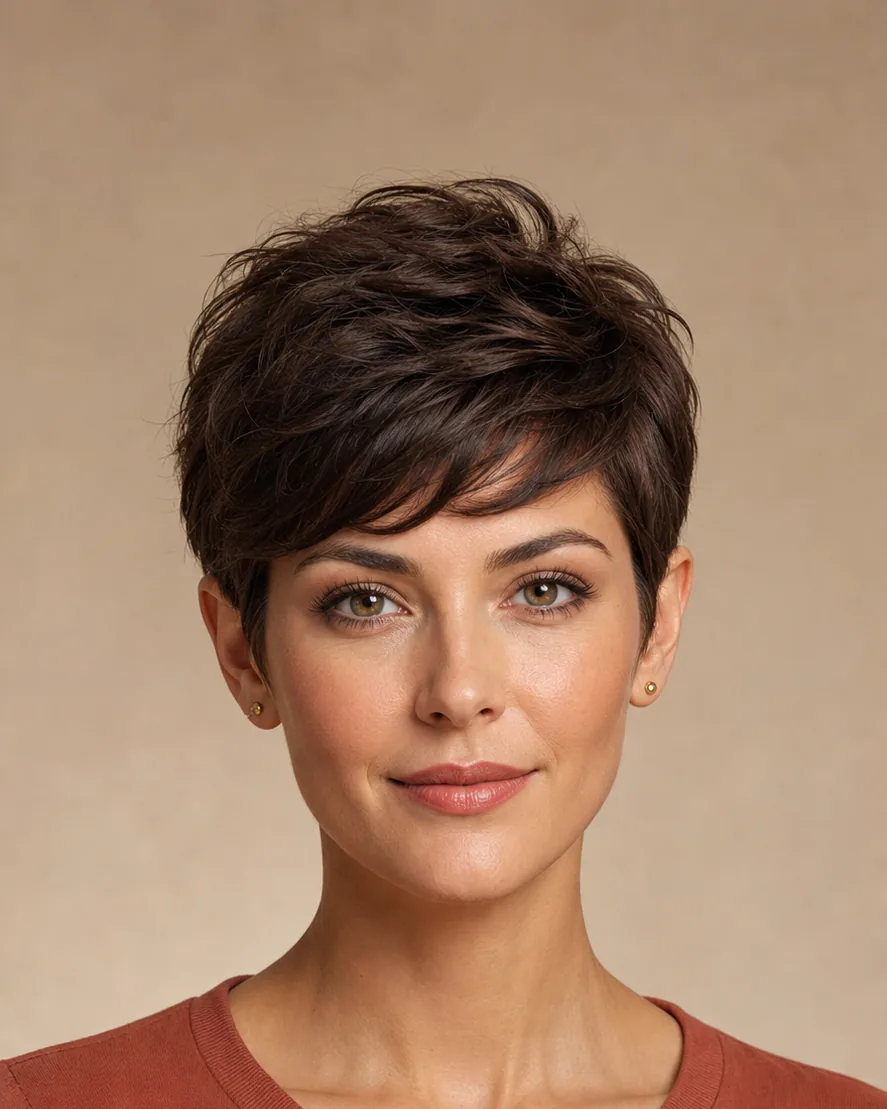
A preview is strongest when the decision is visible in a still image. Compare the outer silhouette, where the hair appears to end, how much of the ears and neck remain visible, where side volume begins, and how the part or fringe opens the forehead. Those observations are concrete enough to compare across two results.
Broad color direction is also visible. You can compare whether a darker, lighter, warmer, or cooler family changes the balance around your face. Treat the preview as directional rather than color-accurate: camera white balance, display settings, starting hair condition, and a real formula all affect the final shade.
Texture can be read at the level of pattern family. Straight, broad wave, tighter curl, and braid-inspired directions create different outlines and surface rhythms. The preview cannot tell you how that texture feels, moves, reacts to humidity, or behaves after washing.
What the Preview Cannot Predict
A generated image has no direct knowledge of your natural density, cowlicks, growth direction, elasticity, shrinkage, damage, styling skill, daily routine, or local climate. It can draw a convincing pixie or bob without knowing whether your hair can hold the crown shape, how high curls will spring when dry, or how often the outline needs reshaping.
It also cannot guarantee salon execution. The same reference can lead to different results depending on sectioning, cutting technique, chemical history, starting length, and the stylist's interpretation. Use the preview to point out the endpoint, fringe, part, texture direction, and areas of volume you like; ask a stylist how those choices translate to your hair.
For wig-inspired looks, the boundary is even clearer. A preview can compare visible style, apparent length, color, and face framing. It cannot verify cap size, lace, density, fiber, material, construction, installation, comfort, or movement. Those details require current product information and the physical item.
When a Generated Result Should Be Rejected
A result should fail review when it changes information that was supposed to remain stable. Compare the generated image with the source portrait and reject it when the face shape, eyes, skin tone, expression, age, glasses, clothing, pose, or background has shifted enough to influence your judgment.
Reject a result that does not follow the requested hairstyle direction. A polished long wave is not useful evidence for a shoulder-length lob. Check the endpoint, part, fringe, visible ears, crown height, side width, and texture family before deciding that the image belongs in the comparison.
Also inspect the boundary around the hairline, ears, neck, shoulders, glasses, and overlapping objects. Halos, leftover original hair, repeated strands, broken shadows, or painted-looking surfaces can make a silhouette appear more flattering or more awkward for reasons unrelated to the hairstyle.
Match the Preview to the Decision
| Decision | What the preview contributes | What must be checked elsewhere |
|---|---|---|
| Haircut direction | Silhouette, endpoint, fringe, part, visible face framing | Density, growth direction, shrinkage, technique, maintenance |
| Hair color direction | Broad warmth, depth, contrast, and placement | Starting level, lift, formula, porosity, exact tone |
| Wig-inspired style | Visible shape, apparent length, texture family, color | Cap, lace, density, fiber, construction, fit, comfort |
| Personal exploration | A reversible way to notice visual preferences | Whether the look fits daily routine and real-world constraints |
This boundary keeps the image useful. It prevents a style preference from turning into an unsupported claim about physical behavior, and it gives you a clearer list of questions for the person or source that can answer them.
Turn the Result Into a Useful Reference
Keep only results that follow the request and preserve the portrait. For each accepted image, write down the visible features you want to carry forward: approximate endpoint, fringe shape, part, texture family, side volume, and broad color direction. That description is often more useful than presenting an unexplained image.
When the decision involves a real haircut or color service, bring the image and description to a stylist. When it involves a physical wig, compare the visual direction with current measurements, construction details, and material information. When it is personal exploration, treat the result as a preference signal rather than a prediction.
Evaluate a preview on your own portrait
Compare the visible direction, then use this guide to separate useful evidence from physical unknowns.
Open Virtual Hairstyle Try-OnFAQ
What can a virtual hairstyle preview show reliably?
A preview can show visible direction: silhouette, apparent length, endpoint, part, fringe, texture scale, broad color family, and face framing. Compare only details that are actually present in the image.
What can't a virtual hairstyle preview predict?
It cannot predict natural density, growth direction, shrinkage, styling behavior, maintenance, salon technique, exact dye chemistry, or physical wig construction and fit. Those require professional judgment or current product specifications.
How do I know whether a generated result is useful?
Keep a result only when it follows the requested hairstyle and preserves the face, pose, clothing, and background well enough for a fair comparison. Reject obvious artifacts around the hairline, ears, neck, and shoulders.
Can a preview tell me whether a hairstyle suits me?
It can help you judge whether you like the visible silhouette and face framing on your portrait. It cannot determine a universally correct style or account for every real-world constraint, so treat suitability as a personal visual decision.
When should I ask a stylist or check product specifications?
Ask a stylist about natural-hair behavior, technique, upkeep, and color chemistry. Check current product specifications when the decision depends on wig cap, lace, density, fiber, construction, or fit.