Quick Answer
AI for hair salons is most useful when it has a specific job: helping a client visualize an idea, drafting content, answering routine questions, organizing feedback, or making a business report easier to understand. Start with one recurring problem and a way to check the output. Keep service judgment, booking rules, and client relationships under the salon's control.
At closing time, a salon owner may have several different jobs left: answer a question about a Saturday appointment, write tomorrow's post, follow up with a client, and work out why Wednesday had so much empty chair time. Calling all of that “admin” hides the fact that each task needs different information and a different kind of help.
That is the starting point for a practical AI plan. You do not need an opinion about every new tool. You need to know which problem is costing your team time, what a useful answer looks like, and who will notice when the software gets it wrong.
This guide maps seven applications across a salon's day. Some involve generative AI. Others combine AI with ordinary automation or software you may already own. The distinction matters because buying a new AI subscription is not always the next step.
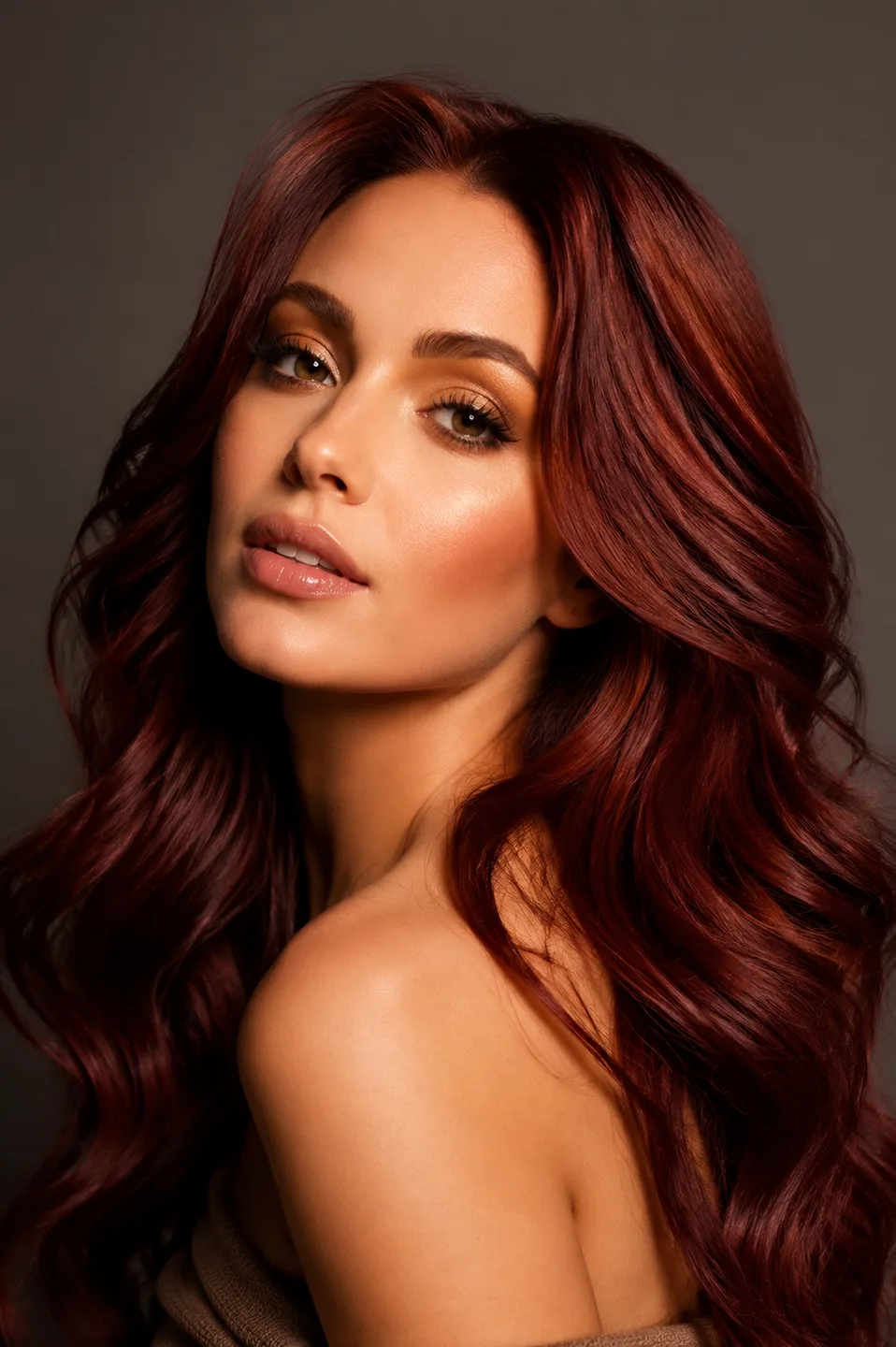
The opening photograph is an AI-generated illustration of a small salon, not a case study or a photograph of a participating business.
Where AI Actually Helps a Hair Salon
A practical map has four areas: before the appointment, during the consultation, after the appointment, and behind the business. Put each proposed tool in one of those areas before comparing features.
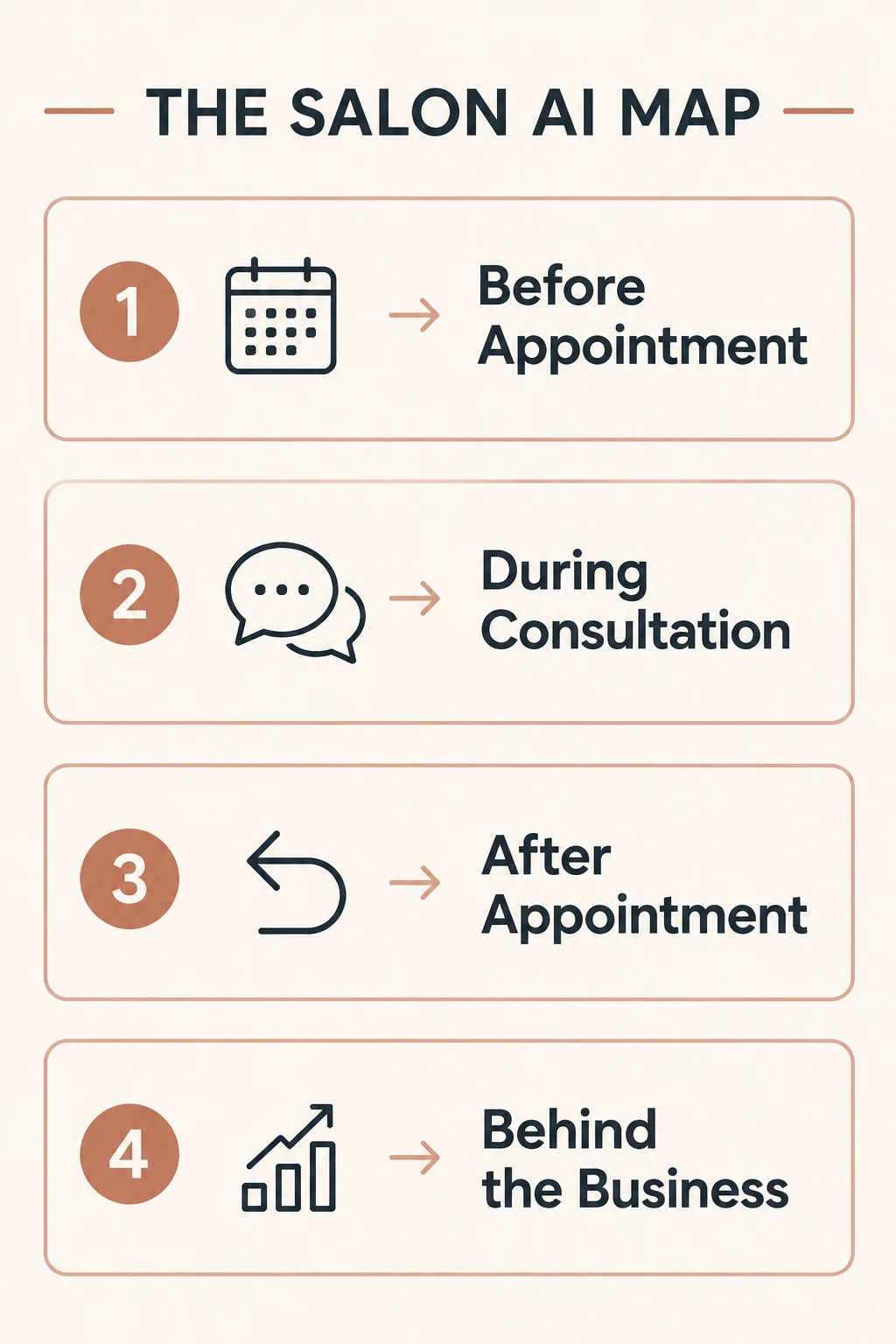
Before the appointment, the work is helping someone find information, ask a question, and choose a next step. During consultation, it is understanding what the client wants and explaining what is feasible. After the appointment, it is maintaining a useful relationship. Behind the business, it is turning records into decisions.
A tool becomes easier to evaluate when you can finish this sentence: “It will help this person do this task using this information.” If the description is simply “make the salon smarter,” the scope is too vague to test.
Separate AI From Automation
An appointment reminder sent two days before a booking is usually a rule-based automation. A system that interprets a client's written question and drafts a reply is using a different capability. Both can be useful, but they need different checks.
A reminder needs the correct date, recipient, and delivery settings. A generated reply also needs a review for accuracy, tone, and what it might imply. An AI assistant should not invent a service price just because its language sounds confident.
Start by checking what your current salon software already does. If the problem is that reminders are switched off or service descriptions are missing, configure those basics first. AI cannot reliably repair a process whose source information is wrong.
Choose a Small First Test
Pick a task that repeats often enough to evaluate. Drafting a weekly post from approved service notes is easier to inspect than letting software change your entire marketing calendar. Summarizing a month's anonymized feedback is easier to check than asking it to redesign the business.
Define one observable outcome: minutes spent editing, questions answered correctly, useful consultation notes, or fewer missing fields in a report. Record the starting point before the trial. A tool that produces more output is not necessarily reducing useful work.
Also name the stop condition. If staff spend longer correcting the draft than writing it, change the input or stop the test. If a client-facing answer is wrong about a service, pause that use until the source and handoff are fixed.
1. AI Hairstyle Consultation
A client brings an inspiration photo and says, “Something like this.” The photo is helpful, but it still shows another person's face, density, and finish. The client may be attracted to the fringe while the stylist is noticing the layers.
An AI hairstyle preview can add an image of a similar direction on the client's own portrait. Use it to make the question more concrete: does the client prefer the shorter endpoint, a softer opening around the eyes, or less width beside the cheeks?
The basic workflow is reference hairstyle → client photo → AI preview → stylist consultation. It should end with a conversation, not an automatic instruction to reproduce the picture. The preview does not establish hair health, natural texture behavior, or the right technical method.
A good first test is one choice between two related looks. Keep the same portrait and ask the client to identify a specific difference. If color, length, and styling all change at once, it becomes difficult to know which variable they actually prefer.
Give the stylist permission to reject a misleading result. Added density, a shifted hairline, or a subtly altered face can make an image attractive for reasons unrelated to the haircut. The useful output is a clearer preference followed by professional assessment.
For a repeatable session structure, use the five-step AI hair consultation workflow. It separates the client's visual preference from the stylist's feasibility check, which is where the service plan belongs.
2. AI Booking and Reception
A routine question can arrive while everyone is cutting, coloring, or cleaning up. An AI receptionist may help interpret a request and provide an answer based on the salon's approved information. Some products also connect to scheduling systems; that ability must be verified for the specific product and setup.
For example, Fresha's AI Concierge describes phone-based assistance with appointment requests and business questions. That is a different role from a visual consultation tool. Check the supported workflows in your account before promising that every type of appointment can be handled automatically.
Prepare the source information before testing: opening hours, location, service descriptions, pricing rules, cancellation policy, and which questions require a person. “How much is balayage?” may need a starting price plus a consultation explanation rather than one unconditional number.
Test ordinary questions and awkward ones. Ask about an unavailable time, a service the salon does not offer, an appointment that needs more than one staff member, and a client who wants to change several details at once. Check whether the assistant hands off uncertainty clearly.
Keep the calendar as the source of truth for availability. A message saying “Saturday should be fine” is not a confirmed booking. If the product can create appointments, verify that the correct service, duration, stylist, and client record reach the calendar without duplicate entries.
Measure unresolved questions and staff corrections alongside response volume. Answering every message quickly is not helpful if the team has to repair the expectations later.
3. AI Marketing and Content Creation
AI can draft an Instagram caption, outline a short video, turn service notes into a blog idea, or adapt a longer explanation for email. Its useful role is often the first draft, especially when staff know the subject but have little uninterrupted writing time.
Give it actual material. “Write a salon post” invites generic copy. A stronger brief names the service, audience, visual detail, and next step: a collarbone cut for clients who want to keep a ponytail, shown in your own gallery, with a consultation link.
Here is a reusable drafting prompt:
Draft a short caption for our collarbone haircut photo. Explain that the ends stay below the jaw and that the final length depends on the consultation. Use plain language. Invite readers to ask about maintenance. Do not invent a client story, a discount, or a result we have not documented.
Then edit it as the salon. Replace phrases your team would never say, verify the service description, and check that the caption matches the photograph. A real detail about the front pieces is more useful than a paragraph calling the look transformative.
Tools can help with different parts of that process. Canva Magic Write offers AI-assisted drafting, while CapCut's automatic captions can help caption spoken video. Review names and hair terminology before publishing generated text or captions.
Use real salon work when the post claims to show a result. AI-generated editorial imagery can illustrate an idea, but it should not become an invented before-and-after service portfolio. Keep previews labeled so readers can distinguish exploration from completed work.
For local content, include information that is actually local: your location, the service you offer, and what a first consultation involves. Generating dozens of near-identical town pages does not make them useful to clients.
4. AI Client Follow-Up and Retention
A follow-up can be helpful when it matches the service and the client's preferences. It can be irritating when it guesses the person is overdue or implies that everyone needs the same schedule.
Use your existing client records and communication permissions to decide who should receive a message. A stylist's agreed maintenance interval is a better starting point than a universal rule that every haircut client returns after eight weeks. The timing examples in an automation template are settings to evaluate, not professional instructions.
AI can help draft different versions of a message: a brief maintenance reminder, an answer to a common styling question, or a friendly invitation to rebook. Ordinary automation may be enough to schedule and deliver it. Keep those roles separate when choosing tools.
A useful reminder names the next action without pressure. For example: “If you would like to review the shape as it grows out, you can book a maintenance appointment here.” A color follow-up may require different wording and a different route to the stylist.
Be careful with a list labeled “inactive clients.” Someone may have moved, changed their preferred service, or already booked under a duplicate record. Check the definition and clean the records before treating absence as a marketing problem.
Review replies, opt-outs, and corrections as well as bookings. A campaign that generates a few appointments but sends irrelevant messages to many clients may need a smaller audience or better source data.
5. AI Reviews and Reputation Management
AI can help turn a pile of feedback into a short list of recurring themes. It can also draft a review response for a staff member to edit. Neither task should require the model to invent what happened during an appointment.
For replies, supply the public review and the response policy. Ask for a short acknowledgement, a specific response to the stated concern, and an appropriate route for follow-up. Do not feed in unnecessary private service details just to make the reply sound personalized.
A complaint about waiting time needs a different answer from a question about the finished shape. Read the draft for whether it addresses the actual issue. Generic gratitude followed by promotional language can make a response feel dismissive.
For analysis, remove identifying details where possible and group comments by topic: booking clarity, wait time, communication, comfort, or maintenance advice. Then check examples from each group. A summary that calls three very different complaints “service quality” is too broad to guide action.
Use the summary to choose one operational improvement, such as a clearer explanation of appointment duration. Do not treat the most frequently mentioned topic as the most important without looking at severity and context.
The owner or designated staff member should approve public responses. A polished sentence is still the salon speaking, and it needs to reflect what the team is willing to stand behind.
6. AI Business Analysis
A salon owner can ask useful questions of a clean report: Which services bring in the most revenue? Which days have empty chair time? Which clients have not returned within the interval used for this analysis? Which services have the highest rebooking rate?
The quality of the answer depends on the data and definitions. Revenue is not profit. An expensive service may use more time or materials. A calendar gap may be genuinely available capacity, or it may be a break that was never meant to be sold.
Before asking AI to interpret a spreadsheet, define the period, completed services, cancellations, discounts, and capacity. Use an export that contains only the information needed for the question. Check the relevant data handling terms before putting business or client records into any external tool.
Then ask for both a calculation and an explanation. If the assistant says Wednesday is weak, check the underlying totals and number of working hours. One holiday or a stylist's leave can distort the comparison.
Rebooking needs an explicit definition too. “Booked another visit before leaving” differs from “returned within twelve weeks.” Either can be useful, but mixing them makes a trend difficult to interpret. Keep the same definition across periods.
A good report ends with a testable next step, such as reviewing the visibility of midweek availability. It should not leap from a few weeks of records to a confident instruction to cut prices or change staffing. Use AI to help inspect the evidence, then make the business decision yourself.
If the business question is whether those changes could affect sales, use the salon revenue worksheet to separate completed first visits, repeat visits, and the average service ticket. It keeps a promising activity metric from being mistaken for paid work.
7. AI-Powered Salon Website Experiences
A conventional website path is services → gallery → book. For a visitor who is unsure about the hairstyle, you can add an optional step: gallery → try this hairstyle on you → discuss the direction → book.
This is where WigTryAI fits. It supplies visual hairstyle previews; it does not replace your receptionist, booking calendar, or business reporting. A salon can upload one reference and use its Share function to create a link for clients.
Place that link beside the matching look. The client opens the reference in WigTryAI, uploads their own photo, and generates a preview under the tool's current conditions. Keep your consultation route visible on your website so they know what to do after exploring.
The salon website implementation tutorial covers the setup. The commercial use-case guide explains where a reference link can support the client journey and what it cannot promise.
A Product Example With the Inputs Shown
The following demonstration uses an existing WigTryAI generation, not a real salon service before-and-after. A separate reference image supplies the burgundy-wave direction, while the original portrait supplies the person.