
Butterfly Cut Try-On
Preview a butterfly cut on your own photo and compare how the soft long layers read at medium, long and extra-long before you ask for the cut.
First 3 try-ons free · No app required · Original selfie deleted within 24h
Choose look
Hairstyle
Hair length
Choose color
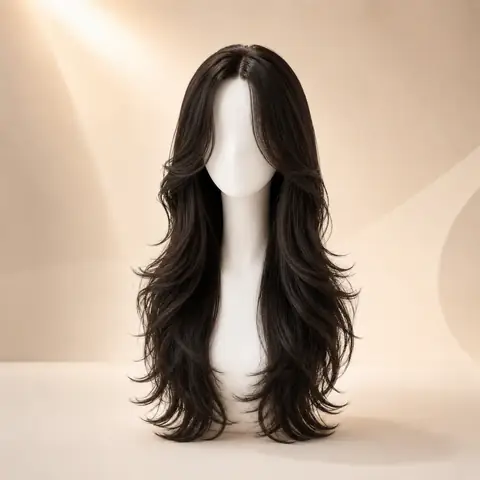
Selected lookButterfly CutLong · Dark Brown
Quick answer
A butterfly cut is a layered cut that keeps most of the length while the shortest layers sit around the face, so the hair reads full at the ends and light around the front. WigTryAI previews it in three catalog directions — medium, long and extra-long — on one uploaded portrait. Butterfly Cut is the third most generated style in WigTryAI's 10,000-generation 2026 dataset, with 646 completed try-on generations (6.46%). The preview shows the visible outline, where the face-framing pieces start and how much length is retained; it cannot predict your density, texture, shrinkage or how a stylist will cut your hair.
How it works
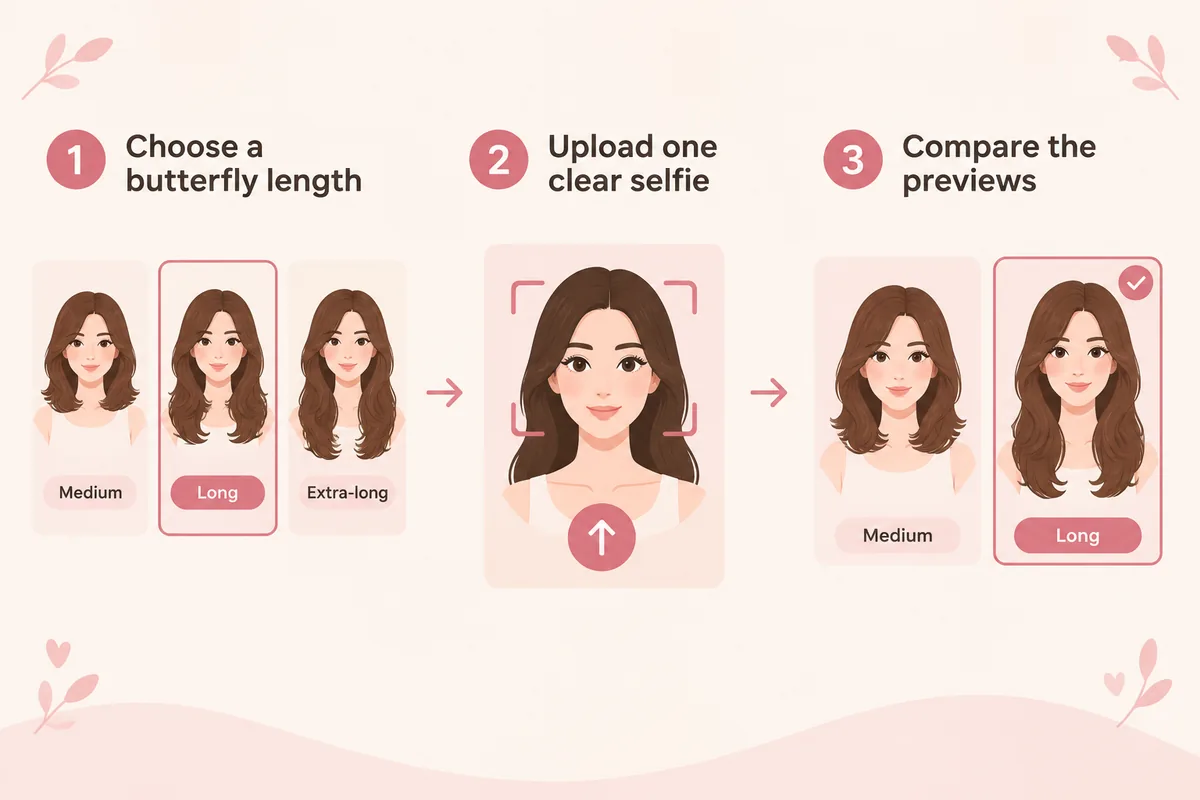
How it works: step-by-step virtual try-on
Keep the direction, selfie, and comparison method consistent so each preview answers one clear question.
- 01
Choose a butterfly length
Start with the long butterfly the tool opens on, then switch to medium or extra-long. The layering stays the same; only the length changes.
- 02
Upload one clear selfie
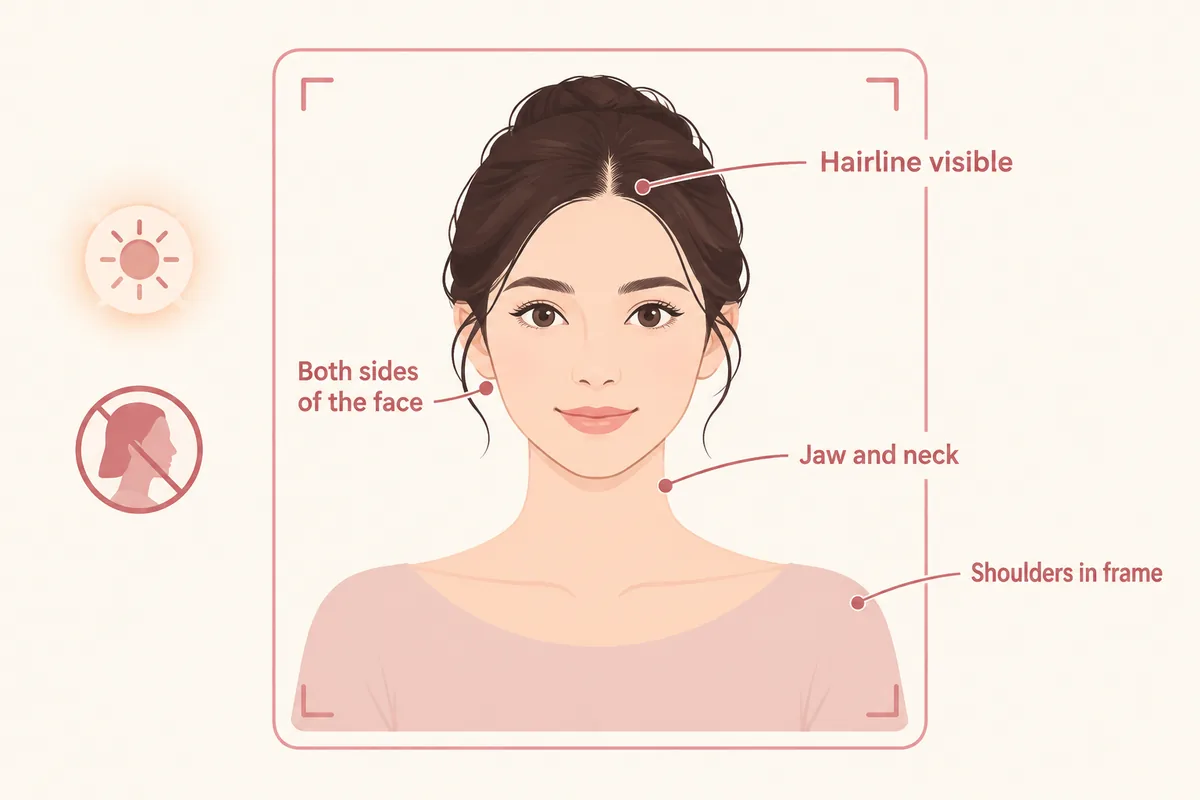
Keep the hairline, both sides of the jaw and the shoulders in frame — a tight crop hides the front-to-back length difference you are comparing.
- 03
Compare the previews
Read where the shortest face-framing piece starts and how much length the cut keeps before you decide which version to ask for.
Comparison factors
Which butterfly length should you try first?
Compare the visible direction first, then judge detail. These factors make a virtual try-on easier to interpret.
How much length the cut keeps at the back and ends
Medium, long or extra-long
how the read changes
How much internal layering shows through the length
How the color reads against your skin tone
Comparison guide
How to compare results on the same photo
Keep one clear selfie, the same lighting, and a stable hairstyle or color direction. Change one variable at a time so each virtual try-on result is easier to compare and trust.
01
What is a butterfly cut?
A butterfly cut is a layered cut built around two lengths: the shortest layers sit around the face and collarbone, while most of the original length is kept at the back. That difference is what makes the shape lift around the front and stay long through the ends, and it is why the cut reads differently from a uniform layered haircut.
In WigTryAI's catalog the style is grouped with layered cuts and offered at three lengths, medium, long and extra-long. The cut itself does not change between them; what changes is how far the short front layers sit from the long back, which is exactly what you compare in the preview.
02
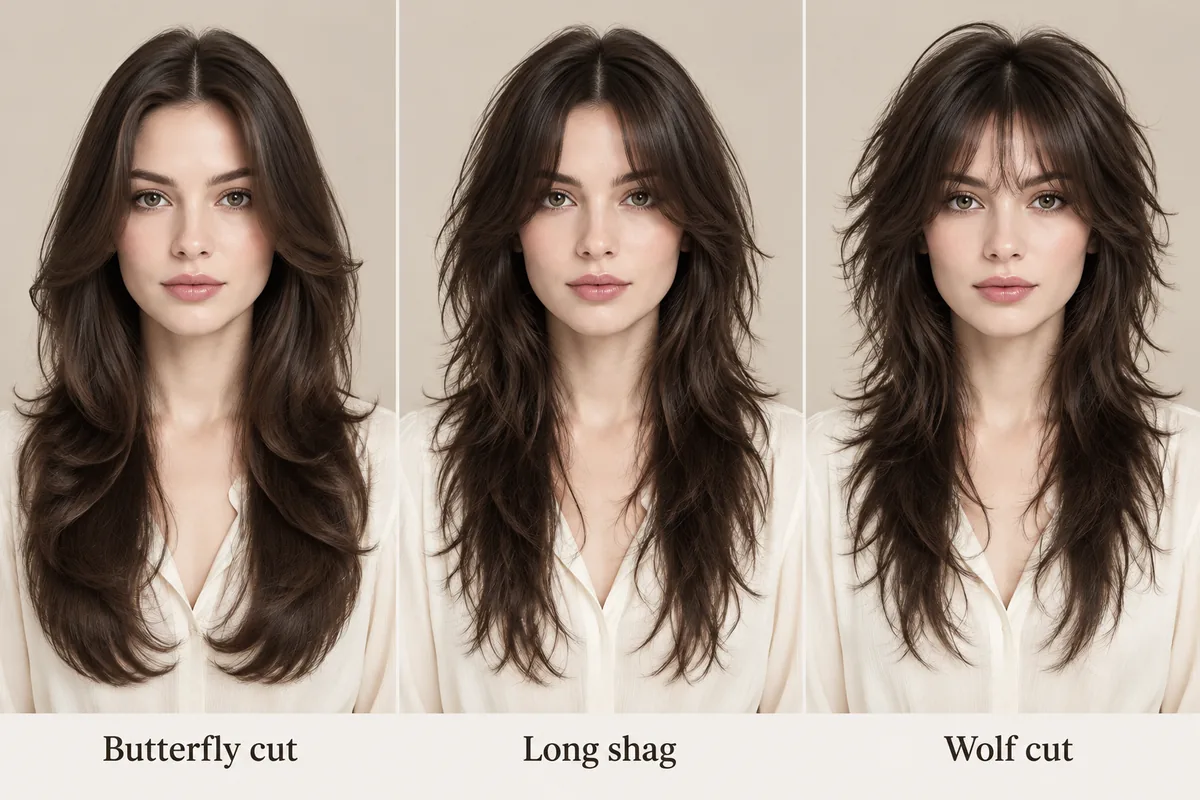
Butterfly cut vs shag and wolf cut: what actually changes
These three are separate catalog styles, not three names for one cut. A butterfly cut keeps the length and softens the front; a long shag razors the layers through the length and usually pairs with center-split curtain bangs; a wolf cut builds stronger crown volume with choppy tapered ends and airy, eyebrow-skimming bangs.
So the honest question is not which one is better but which outline you want: retained length with a light front (butterfly), textured separation through the whole length (shag), or volume at the crown with a shorter, more dramatic shape (wolf). Preview them one after another on the same photo and judge the silhouette rather than the label.
- Butterfly cut — Length retained, soft layers, the lightest change to the overall perimeter.
- Layer position explained — How the shortest front layer and the internal weight change face framing.
- Style popularity context — Butterfly Cut ranks third in our 10,000-generation 2026 dataset, with the denominator and unit stated in the report.
03
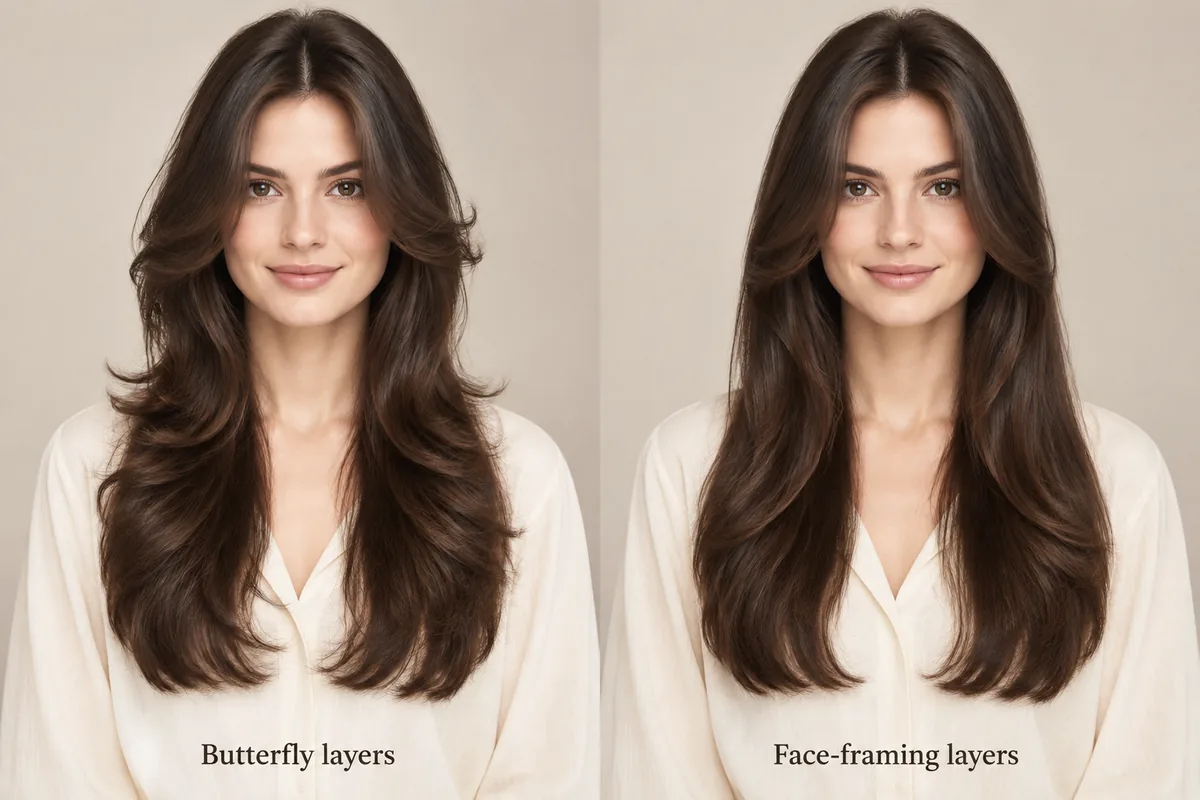
Butterfly layers vs face-framing layers
Face-framing layers only change the front: a few pieces around the cheekbones and jaw, with the rest of the cut left alone. A butterfly cut also redistributes the internal weight, so the layers inside the shape change how the whole outline falls while the outer length stays long.
That distinction decides what you ask for. If you only want a softer front edge on your current length, face-framing pieces are the smaller change. If you want the front-to-back difference that makes the shape lift, you are asking for a butterfly cut, and the stylist needs to know how short the front layers should start.
04
Medium, long, or extra-long: what changes in the read
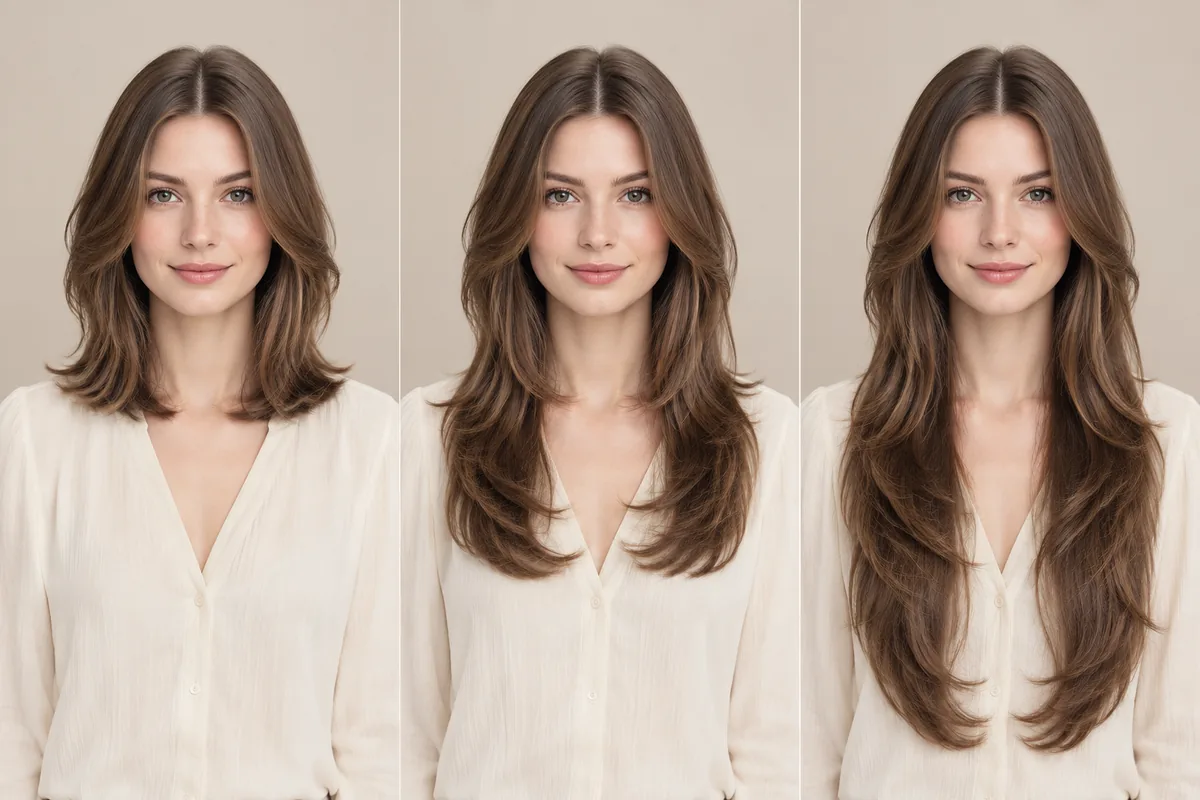
At medium length the gap between the short front layers and the ends is the smallest, so the cut reads as a soft layered shoulder-length style and the movement stays near the face. At long length the front-to-back difference is at its clearest, which is where the butterfly shape is easiest to see. At extra-long length the layers stretch, weight returns to the ends, and the cut reads closer to long soft layering with face-framing pieces.
Compare all three on the same photo, in that order, and watch two things only: where the shortest piece starts and where the ends land. Those two points describe the cut far better than the word butterfly does.
05
How to ask for a butterfly cut
Bring the preview you liked and describe four things: where the shortest face-framing piece should start (cheekbone, jaw or collarbone), how much length you want to keep, how much internal layering you want through the length, and whether you want any fringe. Those four answers are what a stylist actually needs; the style name alone does not tell them where the layers go.
Be explicit about the limits as well. The preview cannot show your density, your growth pattern, shrinkage after washing, or how your hair will fall once it is styled. Use it as a shared reference for the direction and let the cut be adjusted to your own hair.
Style categories
Try different hairstyle families
Not sure where to start? Explore a few popular hairstyle directions below, then try your favorites on your own photo.
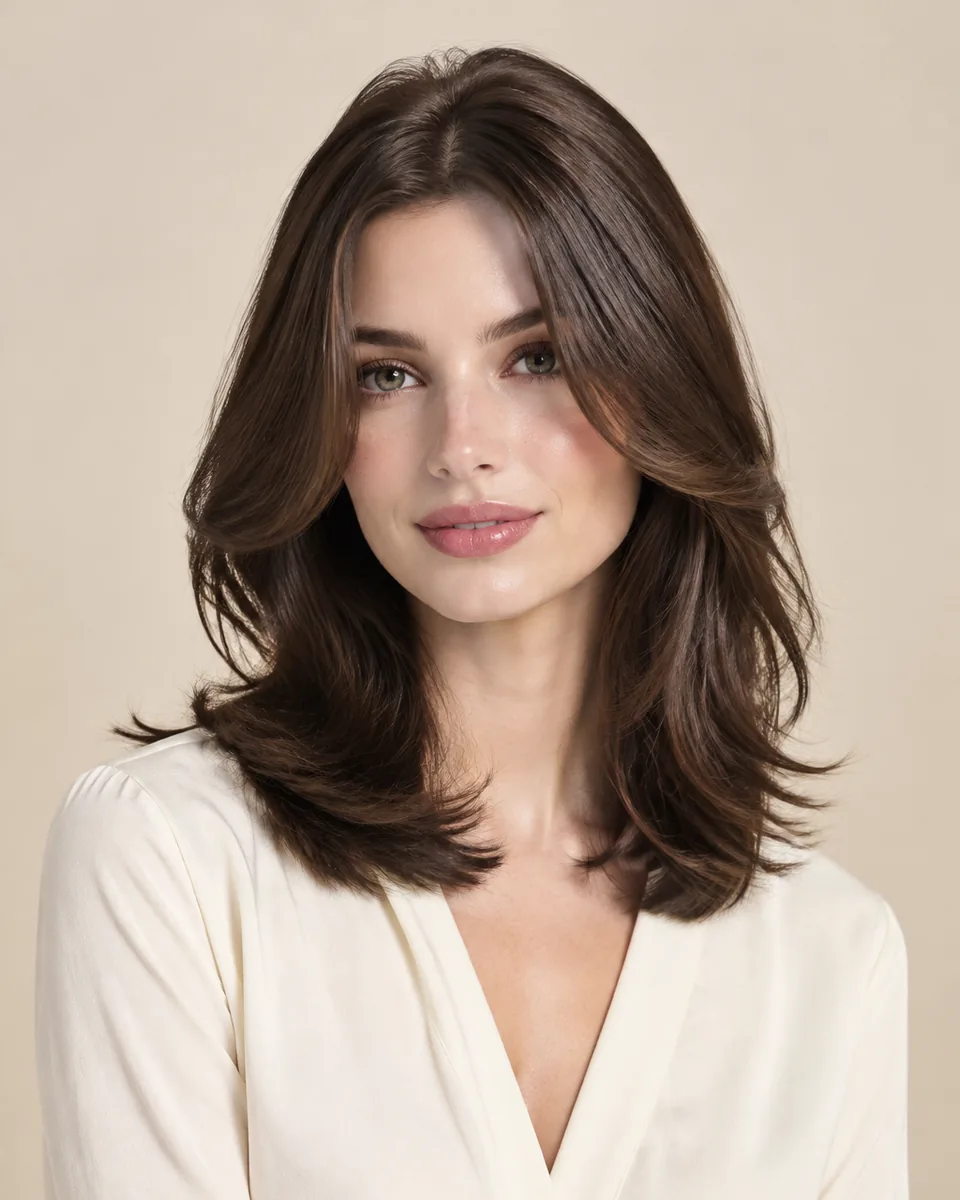
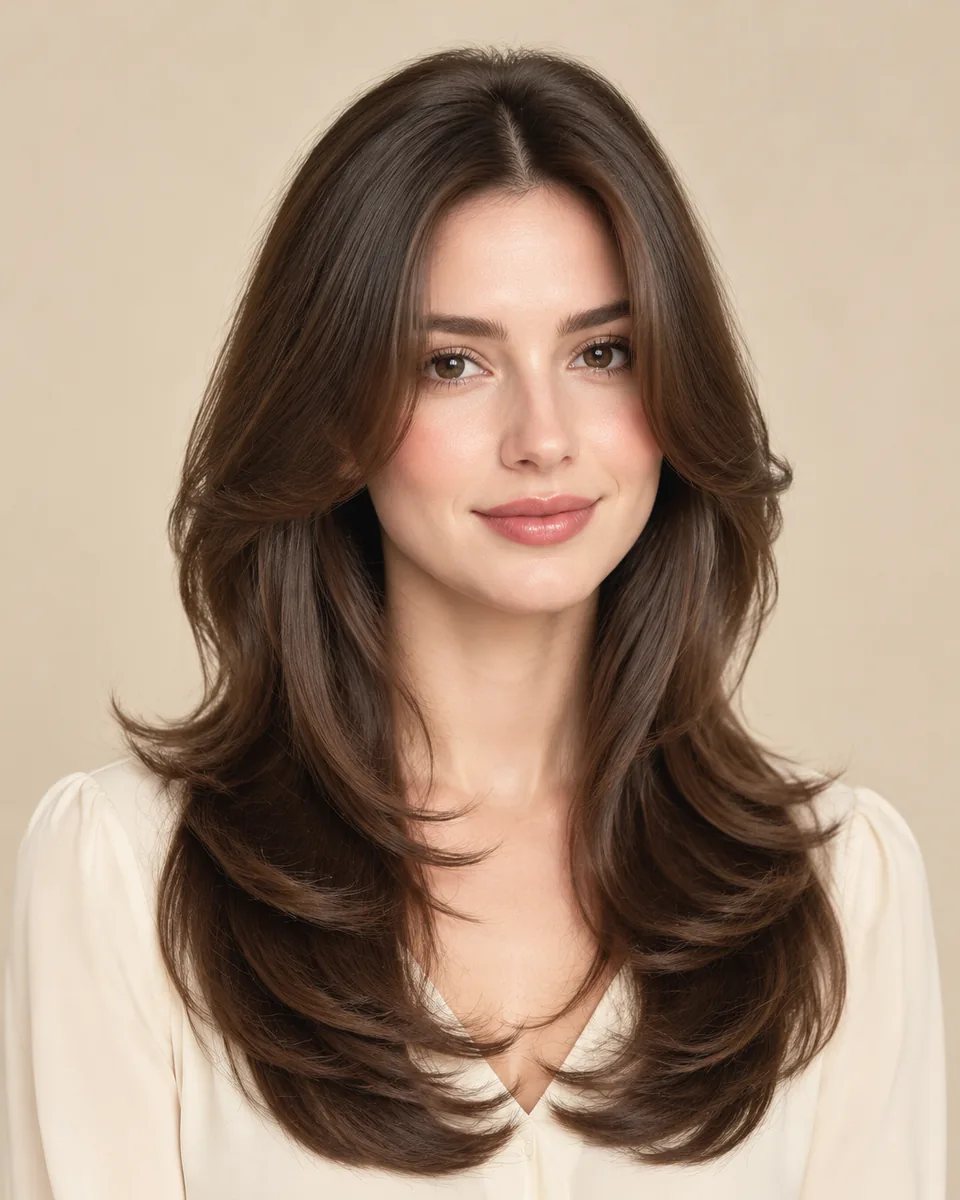
Medium butterfly
Ends just below the shoulders; the shortest front piece stays close to the cheekbone.
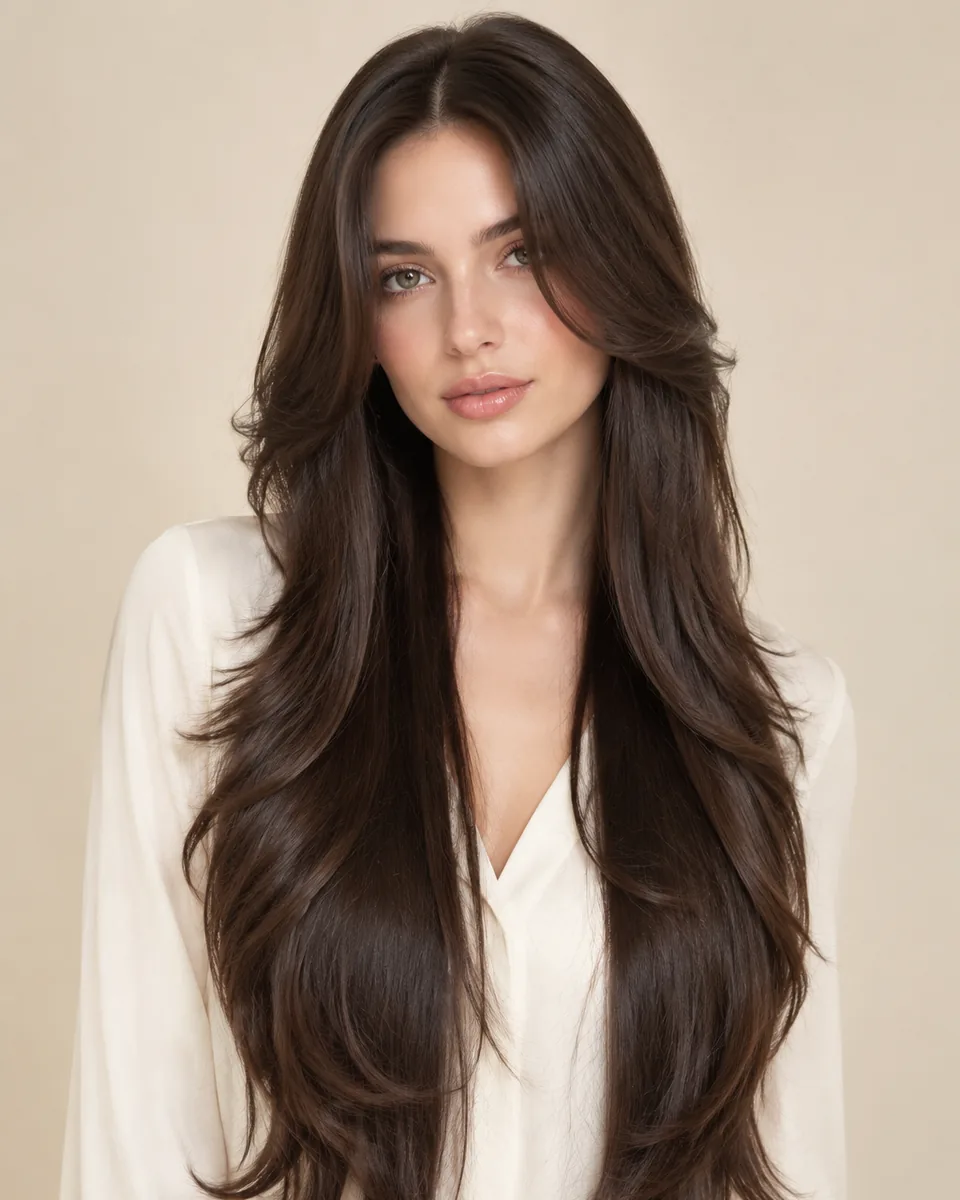
Long butterfly
Ends reach the chest, so the gap between the short front layers and the long back reads most clearly.
Extra-long butterfly
Layers stretch along the length, so the movement sits lower instead of around the face.
Color options
Change shape and color together
Compare color after choosing a silhouette so contrast, warmth, and dimension stay easy to judge on the same photo.
Black
Preview soft black or natural black hair directions.
Try this colorBrown
Compare dark brown, chocolate, chestnut, and warm brown ideas.
Try this colorBlonde
Try honey blonde, golden blonde, beige blonde, or platinum tones.
Try this colorBurgundy
Explore a richer red-purple shade without changing your real hair.
Try this colorOmbre
Preview darker roots fading into lighter ends.
Try this colorWhy use this tool
Built for fast visual exploration
Start with a clear portrait, compare one variable at a time, and use the result as a visual reference for your next style decision.
Preview the layering before the cut
Compare three lengths on one photo
No app required
Style inspiration only
Privacy note
Preview tool, not a store
WigTryAI is built for personal visualization and style inspiration. It does not sell physical wigs, beauty products, or salon services, and it does not provide commerce matching. Your generated look is meant for exploration, comparison, and optional friend feedback.
Preview limits
What a butterfly cut preview can and cannot show
The card portraits and comparison figures on this page are editorial reference illustrations produced for WigTryAI; they are examples of the direction, not outputs from a real try-on, and they are not photos of customer results. The preview compares visible shape and layering. It is a direction to discuss, not a prediction of how your hair will behave.
Useful for comparing
- ✓where the shortest face-framing piece starts on the face
- ✓how much length the cut keeps at the back and ends
- ✓the difference between medium, long and extra-long reads
- ✓how much internal layering shows through the length
- ✓the color impression of the style against your skin tone
Does not predict
- —your real density, texture and growth pattern
- —shrinkage after washing and drying
- —how your hair moves once it is styled at home
- —how a stylist will interpret the reference on your hair
- —upkeep, trim frequency and styling time
Photo setup
How to take a selfie for a virtual try-on
A clean, consistent portrait keeps the hairstyle or color direction as the main variable you are judging.
Face forward
keep your face centered and your eyes visible so both sides can be compared consistently.
Use soft, even lighting
avoid strong colored light and side shadows, especially when comparing blonde, gray, silver, or dimensional color.
Keep the hairline visible
move hats, sunglasses, hands, and heavy filters away from the forehead, ears, and hairline.
Keep the angle simple
avoid a strong tilt or mirror distortion so length, volume, and symmetry remain easier to judge.
Related tools and guides
Continue with the resource that matches your next decision
Move to a related tool or guide when your next question is about color, wigs, face shape, or comparison.
FAQ
Frequently asked questions
Can I try a butterfly cut on my own photo before I commit?
Yes. Upload one front-facing portrait and the tool opens on a long butterfly cut; you can switch between medium, long and extra-long while the photo stays the same. The first three try-ons are free and the original selfie is deleted within 24 hours.
What exactly is a butterfly cut?
It is a layered cut that keeps most of the length while the shortest layers sit around the face and collarbone. The result lifts around the front and stays long through the ends, which is what separates it from an evenly layered haircut.
Is a butterfly cut the same as a shag or a wolf cut?
No. They are separate styles with different silhouettes: a butterfly cut retains length with a soft front, a long shag razors layers through the whole length with curtain bangs, and a wolf cut builds crown volume with choppy tapered ends and wispy bangs. Compare them on the same photo and judge the outline.
Are butterfly layers the same as face-framing layers?
No. Face-framing layers change only the front pieces and leave the rest of the cut alone. A butterfly cut also redistributes the internal weight, so the layers inside the shape change how the outline falls while the outer length stays long.
Does a butterfly cut work better on medium, long, or extra-long hair?
It changes what you see rather than which is correct. Medium keeps the shortest gap between the front layers and the ends, long shows the front-to-back difference most clearly, and extra-long stretches the layers so the movement sits lower. Preview all three and pick the read you prefer.
How do I ask a stylist for a butterfly cut?
Describe where the shortest face-framing piece should start, how much length to keep, how much internal layering you want and whether you want a fringe. Bringing two or three previews from your own photo makes those four answers much easier to agree on.