8 AI Hairstyle Changers to Compare in 2026: Features, Privacy, and Best Use Cases
Which AI hairstyle changer is worth your selfie? Compare 8 tools on features, free credits, and privacy policies — with our own product clearly disclosed.
Last updated: July 2026 · 10 min read
Written by the WigTryAI team. WigTryAI is our product, so we identify it clearly rather than presenting this as an independent ranking. Information checked: July 5, 2026. Product features and policies can change; confirm current terms before uploading a photo or paying.
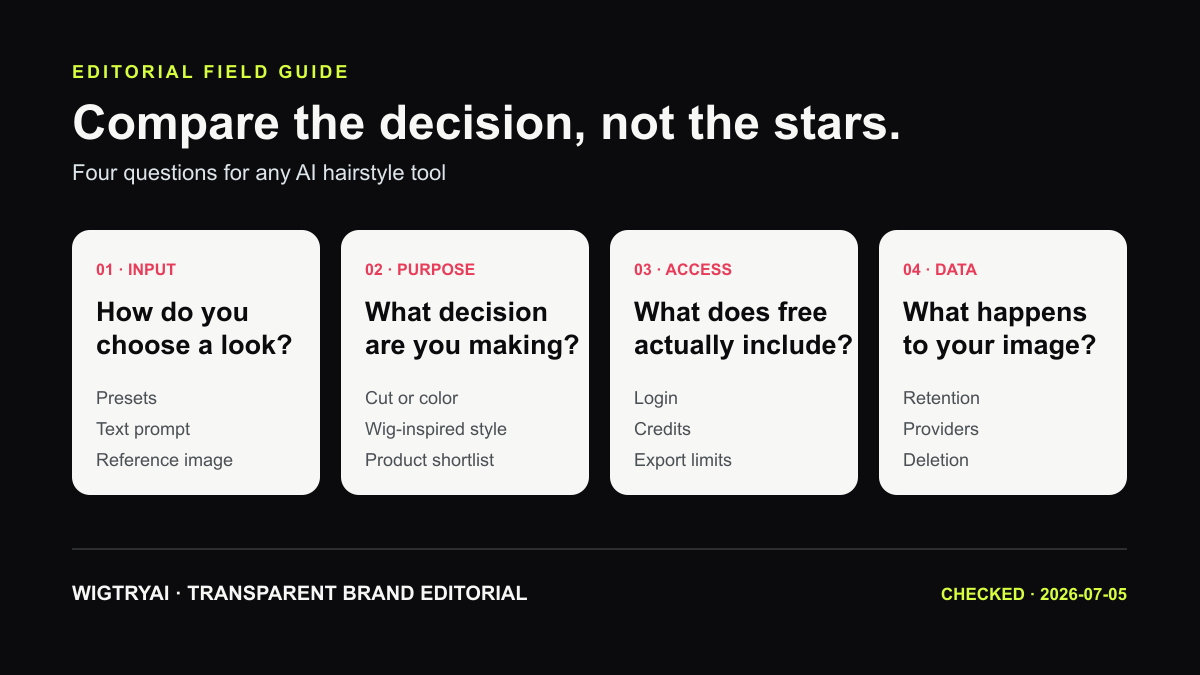 A useful comparison starts with your decision, not a star rating.
Start With the Decision You Need to Make
AI hairstyle tools now cover several different jobs: browsing preset cuts, describing a custom look, applying a reference hairstyle, testing color directions, or exploring wig-inspired silhouettes. A tool that is useful for one job may be frustrating for another.
This guide is a source-checked product comparison, not a controlled image-quality test. We reviewed the public product pages and help material available on July 5, 2026. We did not upload the same portrait to every service, purchase every plan, or assign realism scores without publishing the underlying results.
Use the comparison to build a shortlist. Then test your shortlist with the same clear selfie and judge the outputs yourself.
Four Questions Matter More Than a Ranking
- How do you choose a look? Preset libraries are easy to browse; prompts and reference images offer more control.
- What are you deciding? A haircut direction, hair color, wig-inspired silhouette, and physical wig purchase are different decisions.
- What access is required? Free credits, login requirements, watermarks, and export limits change frequently.
- What happens to your image? Read the current privacy policy, retention language, sharing controls, and deletion process.
Eight Tools Worth Comparing
The descriptions below summarize publicly advertised capabilities. They do not certify output quality or repeat marketing claims as measured facts.
1. WigTryAI
Useful for: Comparing hairstyle and wig-inspired directions from one selfie.
WigTryAI offers preset style families, lengths, colors, reference-image input, saved history, and side-by-side decision workflows. You can begin with one portrait on the virtual hairstyle try-on page and compare lengths, textures, and colors before signing up; continued use and saved credits may involve sign-in. It is a visual exploration tool, not a physical wig store or fit checker.
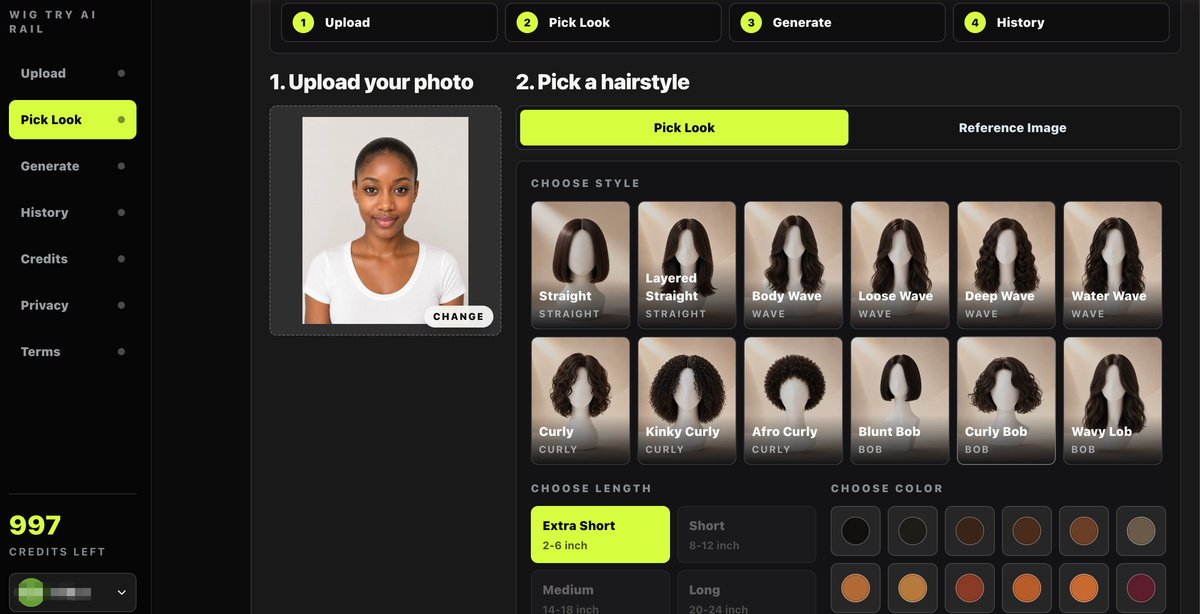 WigTryAI lets users compare hairstyle, length, and color directions from one uploaded portrait.
Watch for: Generated previews are inspiration. They cannot predict salon execution, natural hair behavior, cap fit, density, or fiber quality.
2. The Right Hairstyles
Useful for: People who want guided recommendations as well as virtual previews.
The company describes a browser tool and HairHunt app with more than 100 cuts, hair colors, a recommendation quiz, and a limited free starting experience. Its public material also describes an optional 360-degree video preview for its own service.
Watch for: Treat accuracy percentages and speed statements on a vendor page as vendor claims unless independently tested.
3. YouCam AI Hairstyle Generator
Useful for: Browsing a large preset library online or in a mature beauty-app ecosystem.
YouCam's dedicated page advertises 150+ hairstyles, browser access, a guided three-step workflow, and a free starting experience. Perfect Corp also offers commercial beauty APIs separately from the consumer experience.
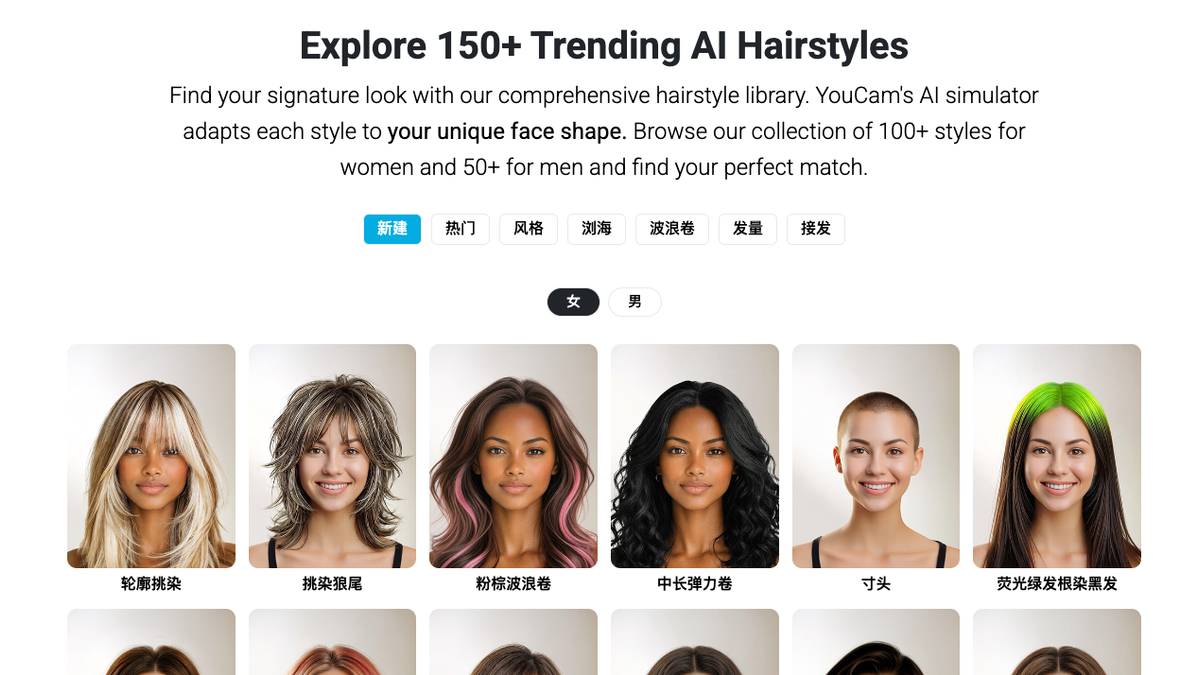 YouCam's public page emphasizes library size and a guided three-step workflow.
Watch for: Online editor, mobile app, subscription, and API terms are not interchangeable. Check the policy for the exact service you use.
4. HairstyleAI.ai
Useful for: Browsing many named styles and colors in a focused web interface.
The current page advertises 100+ styles, separate selections for hairstyle and color, common image formats, and login-based credits. Its own privacy copy says uploaded photos are deleted after a limited period; verify that statement against the current policy before relying on it.
Watch for: A large list of style names does not guarantee that every style will preserve identity or texture equally well.
5. Fotor AI Hairstyle Changer
Useful for: People who also want a broader photo-editing workspace.
Fotor provides preset hairstyle directions, custom descriptions, hair-color tools, and editing features around the generated result. Its localized product pages sometimes describe different counts or access terms, so the live interface is the best source for what is available to your account.
Watch for: Free credits, login requirements, watermarks, and export quality can vary by region and plan.
6. LightX AI Hairstyle Generator
Useful for: Combining preset styles with a custom text description.
LightX advertises hairstyle presets for women and men, custom prompts, 1024×1024 downloads, and daily credits after sign-up. It also markets a separate hairstyle API for business use.
Watch for: A prompt can create more variety, but it also adds variability. Compare several outputs before treating one as representative.
7. TheHairStyler.com Virtual Hairstyler
Useful for: Browsing a very large catalog of named hairstyles and colors.
TheHairStyler advertises more than 14,000 hairstyles, 18 colors, highlight options, suitability information, and downloadable makeovers. Its catalog-led approach is different from an open-ended generative editor.
Watch for: Catalog size and photorealism are separate qualities. Decide whether breadth or natural blending matters more to you.
8. ImagineArt AI Hairstyle Changer
Useful for: Generative hairstyle exploration within a larger creative platform.
ImagineArt offers a dedicated hairstyle-changing page alongside other image-generation tools. Its public copy emphasizes cut, color, face-shape, and texture exploration.
Watch for: Confirm current credits, account requirements, retention, and commercial-use terms in the live product before uploading.
Quick Feature Map
| Tool | Main selection method | Publicly advertised strength | Check before use |
|---|---|---|---|
| WigTryAI | Presets + reference image | Wig-inspired comparison workflow | History retention and credit rules |
| The Right Hairstyles | Presets + quiz | Guided recommendations and 100+ cuts | Vendor accuracy claims and paid credits |
| YouCam | Preset library | 150+ styles and beauty ecosystem | Which YouCam service and policy applies |
| HairstyleAI.ai | Presets + color | Focused style-and-color catalog | Login, credits, and current deletion terms |
| Fotor | Presets + prompts | Editing after generation | Regional access, watermark, and export limits |
| LightX | Presets + prompts | Custom directions and daily credits | Sign-up and current credit allowance |
| TheHairStyler | Large catalog | 14,000+ named styles and colors | Catalog realism versus breadth |
| ImagineArt | Generative controls | Creative exploration | Credits, retention, and usage rights |
How to Make Your Own Fair Comparison
Use one portrait for every tool: front-facing, evenly lit, without glasses or a filter. Ask one question at a time—for example, bob versus long wave—and keep color constant until you decide on shape.
For every result, check:
- Did the face, expression, skin tone, clothing, and background stay recognizable?
- Does the hairline contain hard edges, missing skin, or leftover original hair?
- Does the silhouette match the requested length and texture?
- Can you delete the upload or generated result?
- Does the export contain a watermark or require a paid credit?
Do not compare one lucky output from one tool with the first output from another. Generate enough examples to understand variability, and save the original settings with each result.
That shortlist can also become the raw material for a short social post. See how to create hair transformation videos for TikTok using AI for a simple way to turn one approved preview into a reveal or slideshow without changing too many variables.
Privacy Is a Policy Question, Not a Vibe
No-account access can reduce the amount of profile data you provide, but it does not prove that an image is never stored. Likewise, a large company is not automatically less private than a small one. Read the policy for the exact product and look for retention, model-training, service-provider, sharing, and deletion language.
WigTryAI's current policy says uploaded images and generated previews may be stored so customers can view recent results. It also says customer images are not sold, used for identity verification, or used to train models without explicit permission. Deletion requests can be sent to support.
Bottom Line
There is no defensible universal winner without a published test protocol and results. Choose two or three tools whose input method matches your task, use the same portrait, and compare what you can actually see.
If you are considering a real haircut, color service, or wig purchase, take the preview to a stylist or seller and discuss texture, maintenance, material, density, and fit. An AI image is a conversation aid, not a guarantee.
Sources Checked
- WigTryAI AI Hairstyle Changer and Privacy Policy
- The Right Hairstyles: About and product overview
- YouCam AI Hairstyle Generator and YouCam B2C Privacy Policy
- HairstyleAI.ai product page
- Fotor AI Hairstyle Changer
- LightX AI Hairstyle Generator
- TheHairStyler Virtual Hairstyler
- ImagineArt AI Hairstyle Changer
Editorial disclosure: WigTryAI is discussed as our own product. Other services are included because they maintain public hairstyle-specific pages; inclusion is not an endorsement. We received no compensation from the other services listed.