
Last updated: August 2026 · 7 min read
Written by the WigTryAI team. WigTryAI is our product. Information checked: August 28, 2026. Product features and policies can change; confirm current terms before uploading a photo or publishing.
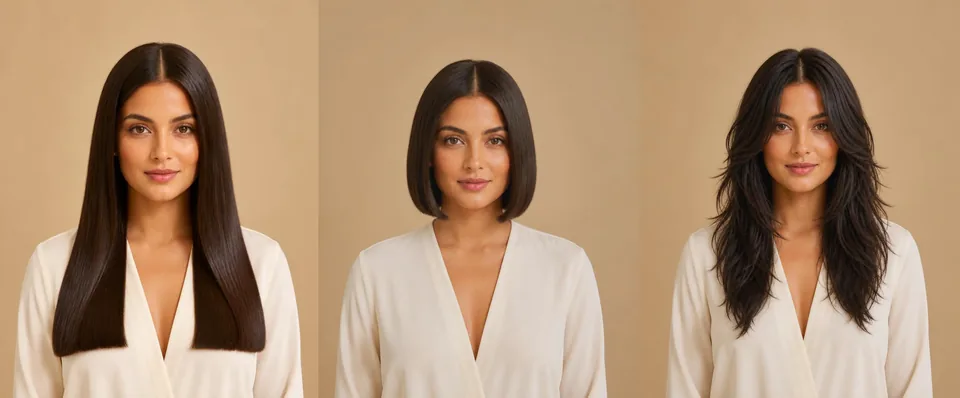 One portrait, three directions. The clearest change that still looks like the same person makes the strongest before-and-after.
You have three versions of the same portrait open on your phone: a chin-length bob, curtain bangs, and long blonde waves. The bob makes the biggest impression, but the preview changed the jawline. The bangs look believable, though they are close to the original.
Which should become the video?
The best answer is the clearest change that still looks like the same person. A hair transformation needs an obvious before and after, but it falls apart if the face, lighting, or background change along with the hair.
AI can help with both. A hairstyle preview lets you test the idea before filming. An image-to-video tool can add movement and a reveal. Choose one change, make a believable reference image, inspect it, and build the video around that result.
Choose one change viewers can name
Start with the decision behind the transformation. Ask what should look noticeably different at the end.
Good options include:
- Long hair to a bob
- No bangs to curtain bangs
- Brunette to blonde
- Straight hair to loose waves
- Shoulder-length hair to a pixie
- One haircut shown in three colors
Avoid changing the cut, color, texture, makeup, clothes, and background at the same time. The result may look polished, but nobody can tell what the post is asking them to compare.
A creator might frame the post as a real decision: "Would this bob be a mistake?" A salon, stylist, or hair brand might use the same transformation to compare creative directions or ask its audience for a choice. In either case, one visible change gives the video a clean story.
Build the preview from one reliable photo
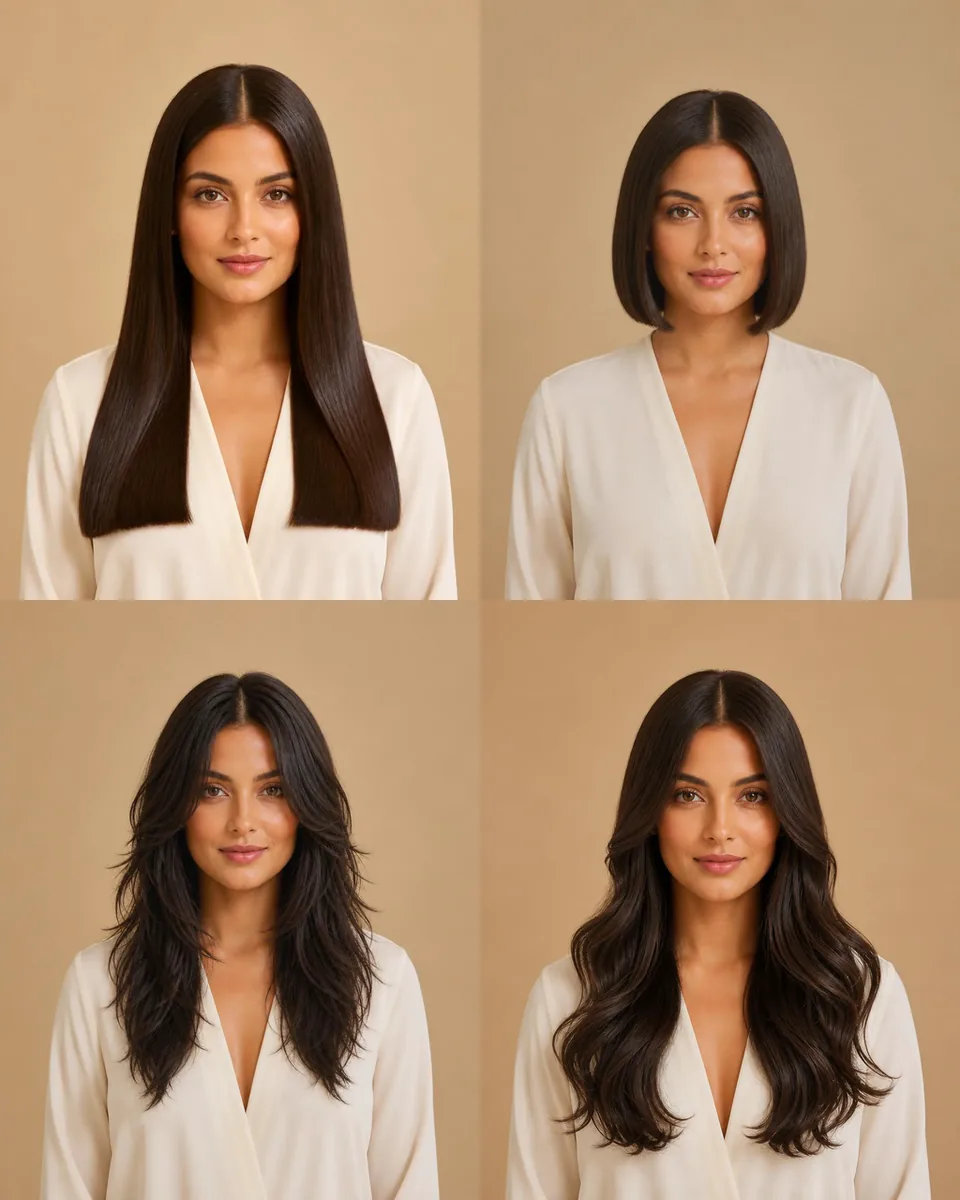 Four options from one photo and one face — the same angle, light, and expression keep the comparison honest.
Use a front-facing photo with soft, even light. Keep both eyes visible and leave enough room around the head for a new hairstyle. Hats, hands near the face, heavy beauty filters, deep shadows, and tight crops give the image model less reliable material to work with.
Use the same source photo for every option. If the camera angle and expression change between versions, you may end up choosing the better photograph rather than the better hairstyle.
With WigTryAI, you can preview different hairstyles on one photo and compare changes in length, bangs, color, and texture. Three or four distinct options are enough for a first pass.
Keep the first comparison controlled: test three lengths in the same color, or one haircut in three colors. Explore smaller variations after you find the strongest direction.
Reject a pretty preview that does not hold up
Zoom in before turning any generated image into video. A polished result can still be a poor reference.
Check the forehead, jawline, eyes, eyebrows, ears, skin tone, and expression against the source photo. Then inspect the hairline and the edges around the neck and shoulders. Regenerate the image if the preview moves the hairline, reshapes the face, adds unexplained fullness, melts strands into clothing, or changes objects in the background.
Look at the image again at phone size. The transformation should still be easy to understand without a caption. A believable chin-length bob will usually make a clearer before-and-after than two almost identical shades of brown.
Treat the preview as a visual concept, not a prediction. It cannot tell you exactly how natural curls will shrink, how much density your real hair has, how a dye formula will develop, or how much daily styling a look will require. Humidity, hair condition, salon technique, and the way hair moves in real life can all change the outcome.
Pick a format that fits the idea
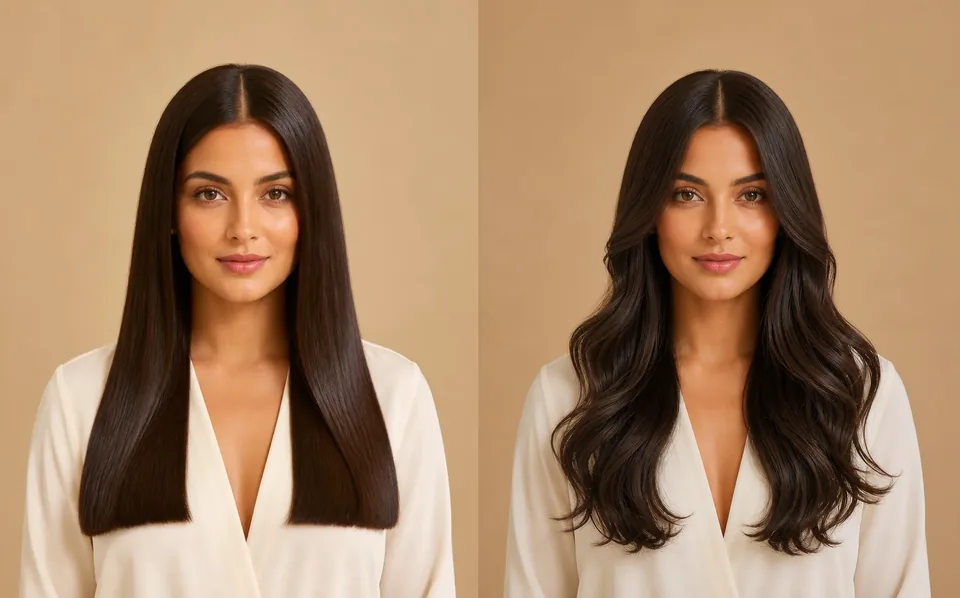 A clean before-and-after reads in seconds: register the original, make one transition, hold the new look.
The hairstyle should decide the format, not the other way around.
One before-and-after reveal
Use this when one result is clearly stronger than the rest. Show the original long enough to register, make one clean transition, and hold the new look long enough to inspect the hairline and silhouette.
A three-look comparison
Use the same portrait for all three options and label them 1, 2, and 3. This works for different lengths, several types of bangs, or one style in multiple colors. Keep the order easy to follow and end with a direct choice.
A TikTok slideshow
Still images can be better when the differences deserve a closer look. A useful sequence is: current hair, option one, option two, option three, then the question. Viewers can swipe back instead of trying to catch a fast reveal.
Turn the chosen reference into video
Once the still image passes inspection, use it as a reference for motion. Oumomo combines image-to-video creation with workflows designed around vertical TikTok and ecommerce content.
You do not need to write a detailed production prompt. Choose an image-to-video model, upload the approved hairstyle preview, and describe the movement in one sentence. Use AI Prompt Optimize to refine that instruction, select a 9:16 aspect ratio and one of the available clip lengths, then generate the video.
Subtle head turn with natural hair movement. Keep the face and hairstyle consistent.
Review the generated clip frame by frame. Watch for a drifting hairline, changing eye shape, flickering earrings, strands that merge with the neck, and hair length that grows or shrinks during movement.
If a full animated morph from the original hair to the new style changes the person's face, simplify the job. Animate only the approved after image, then create the reveal by cutting from the original still to the animated result. The edit provides the transformation while the video model handles smaller, safer motion.
Use a simple 10-second structure
Ten seconds is enough for a clean concept when every shot has one job. Use this timing as a starting point rather than a platform rule:
- 0.0 to 1.2 seconds: Put the decision on screen. "Would this bob be a mistake?"
- 1.2 to 2.8 seconds: Show the original portrait without extra effects.
- 2.8 to 3.4 seconds: Use one cut, hand cover, head turn, or quick motion transition.
- 3.4 to 7.5 seconds: Hold on the transformed look. A slight head turn or camera push gives the hair movement without hiding it.
- 7.5 to 10.0 seconds: End with one answerable question: "Cut it or keep it long?"
For a three-look video, shorten the opening and give each option about two seconds. Do not stack labels, captions, a voiceover, and a moving background over the hairstyle. The viewer needs a clear view of the result.
Write the hook before adding effects
The decision is usually a better hook than the technology. "I used three AI tools" explains the production process. "Should I cut my hair this short?" gives the viewer a reason to stay.
Useful hooks include:
- "I tested bangs before cutting them."
- "Blonde or brunette? I cannot decide."
- "Which one should I show my stylist?"
- "I tried three completely different haircuts on the same photo."
- "Would you keep the length or choose the bob?"
For a salon or hair business, keep the question tied to the visual. Ask which direction should become the next consultation reference, campaign look, or styling demonstration. Avoid vague endings such as "Thoughts?" when a specific choice is available.
Check labels, disclosure, and music before posting
AI hair transformations use a real image as source material and visibly alter a person's appearance. TikTok's AI-generated content guidance says creators must label AI-generated content that contains realistic images, audio, or video, and it also encourages labeling content that has been significantly edited with AI. Use TikTok's AI-generated content setting when the post falls into those categories.
If the video promotes your own business or another brand, TikTok requires the appropriate commercial content disclosure. Commercial posts also need properly licensed audio. TikTok recommends its Commercial Music Library because those tracks are pre-cleared for commercial use.
Use only a portrait you own or have permission to edit and publish. Before posting, compare the finished video with the approved still, confirm that the person remains recognizable, and remove any sequence that suggests a real salon result or product outcome that did not happen.
FAQ
Can I make a hair transformation video without cutting my hair?
Yes. You can create a hairstyle preview from a photo, then present it as a before-and-after, slideshow, or animated concept. Label realistic AI-generated or significantly edited content according to TikTok's current rules.
What photo works best for an AI hair transformation?
Use a clear, front-facing portrait in even light. Keep the face, hairline, neck, and shoulders visible, and avoid heavy filters or objects covering the hair.
Should I animate the whole transformation or only the final look?
Animate the full change only if the face and hair remain stable throughout the clip. If the morph introduces artifacts, cut from the original photo to a lightly animated version of the approved final look.
Should I use a slideshow or a video?
Use a slideshow when viewers need time to compare several hairstyles. Use video when the reveal, motion, or reaction adds something useful to the idea.
How many hairstyle options should I show?
Two or three options are usually enough for a comparison post. More choices can work in a series, but they are harder to read in one short video.
Bottom Line
One clear source photo, one visible hair decision, and one carefully checked preview are enough to build the post. Let the hairstyle decide the format, keep the motion small and safe, and end with a question the viewer can answer.
The effects should support that comparison, not compete with it.
Sources Checked
- WigTryAI Virtual Hairstyle Try-On and Privacy Policy
- TikTok AI-generated content guidance
- TikTok commercial content disclosure
- TikTok Commercial Music Library
- Oumomo
Editorial disclosure: WigTryAI is discussed as our own product. Oumomo is included because it maintains a public image-to-video product page relevant to this workflow; inclusion is not an endorsement. We received no compensation from the other services listed.