Wig seller workflow
How to Create and Track a Wig Try-On Link in a DM
Upload one wig photo, copy a free try-on link, and send it to your next customer. Follow the screenshots to create the link and track opens and completed try-ons.

Wig sellersTry-on linksClient workflow
5 min read
Quick answer
Send your first wig try-on link for free
Upload one wig photo in Reference Hairstyle Try-On. Choose Share, select Generate Try-On Link, and copy the link into your next DM. Creating and sharing the link is free for sellers.
- Customer free try-ons
- New customers get 3 free try-ons in total. Sign-in is needed to access the full allowance.
- Link tracking
- Sign in before creating the link to see opens and completed try-ons.
See WigTryAI for Wig Sellers for a comparison of free use and buying credits for customers.
A product photograph can show the wig clearly without answering the buyer's underlying question: “How would this look on me?” A reference link gives her a way to explore that question with her own portrait while the price, availability, and sale stay in your normal conversation.
Use one link for one style and one question. A single link for the whole catalog makes the reference ambiguous.
The 32-second walkthrough below uses a real mobile recording and a real generation. The approximately 46-second generation wait is shortened in the edit, and the people and result are demonstration assets, not a customer case study.
Watch the 32-second seller-to-customer walkthrough
A seller creates and sends a reference link; the customer opens it and adds her own photo. Rose and green labels make the role handoff explicit.
English narration and on-screen English subtitles. Optional player captions use the same script.
Read the English transcript
- How would it look on me?
- Turn that DM into a try-on.
- Upload one style reference, click Share, then Generate Try-On Link.
- Send it through Instagram, WhatsApp, Messenger, or email.
- Your client opens it in her browser, uploads a selfie, and sees a similar style on her own face.
- No website or plugin required.
- Sellers can sign in to sponsor and track previews.
- Create your first try-on link with WigTryAI.
What You Need Before You Start
- One clear wig or hairstyle image you have permission to use. Keep the hairline, ends, and overall shape visible.
- A WigTryAI account if you want to track the link. Sign in before creating it so it appears in My Recommendations.
- A customer conversation. Instagram DMs, WhatsApp, Messenger, and email all work because the destination is an ordinary browser link.
You do not need a storefront, plugin, product feed, or website integration. If you want to place the link beside a website gallery image instead, follow the salon website link tutorial.
Create and Send the Link in Six Steps
1. Sign in when you want a seller-owned link
You can create and send a free link while signed out. For a link you can track, pause, or use to cover customer try-ons, sign in with Google before you create it.
2. Open Reference Hairstyle Try-On
Open Reference Hairstyle Try-On. This workflow uses your uploaded image as the style reference rather than asking the customer to choose a preset hairstyle.
3. Upload one style reference
Choose Upload hairstyle image. If the tool opens with a sample photo, choose Replace image. Check that the reference card shows the wig you want to discuss before sharing it. Keep a separate product photo for construction or cap details.
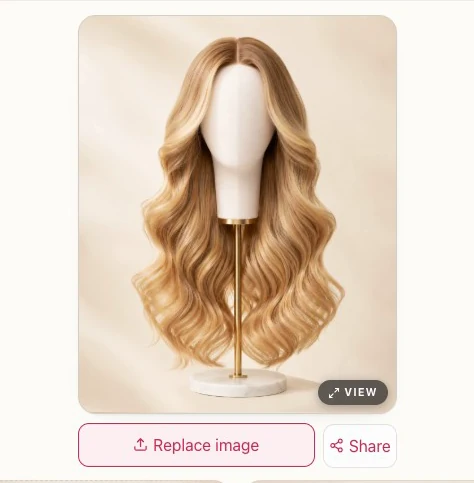
4. Select Share on the reference card
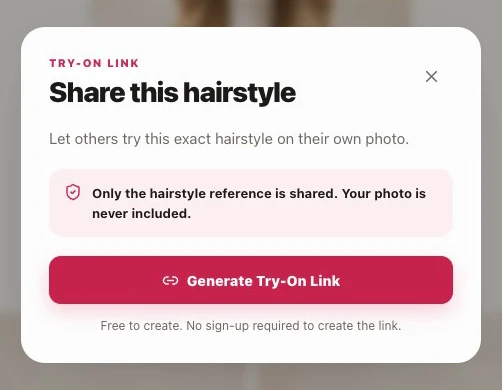
Use the Share button on the reference card. Its accessible label is Share this reference hairstyle. In the dialog, select Generate Try-On Link.
5. Copy the completed link
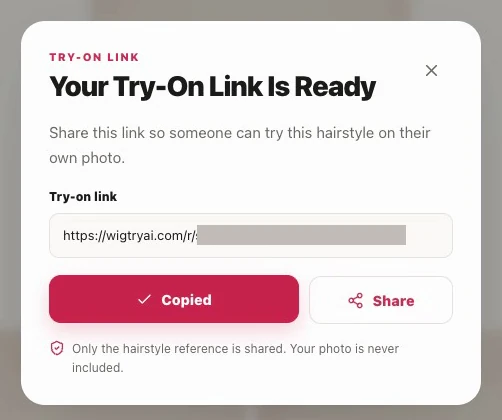
When Your Try-On Link Is Ready appears, use Copy Link. If your browser supports native sharing, you can use Share instead. The generated address uses the /r/ link shape and already carries the selected reference.
The dialog also states the privacy boundary: Only the hairstyle reference is shared. Your photo is never included. Your customer supplies her own photo after opening the link.
Paste this message into the DM and replace [link] with your copied link.
Want to see how this wig could look on you? Open this link and upload a selfie to try it on: [link]
6. Paste it into the existing conversation
Send the actual copied URL in the DM, WhatsApp thread, Messenger conversation, or email where you are already discussing that wig. Identify the style in your message so the customer knows what she is opening. WigTryAI does not send an automatic DM or move the sale into its own checkout.
What Your Customer Does
The customer opens your link, sees the wig reference, and uploads a front-facing photo to generate a preview. New customers can try once as a guest and unlock 2 more free try-ons by signing in.
Customers who want to try more looks can buy credits themselves. If you have credits available to cover their try-ons, they can keep trying without buying credits of their own.
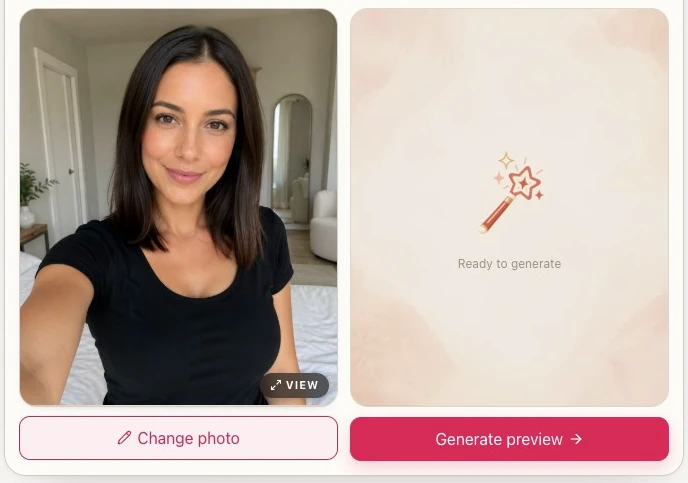
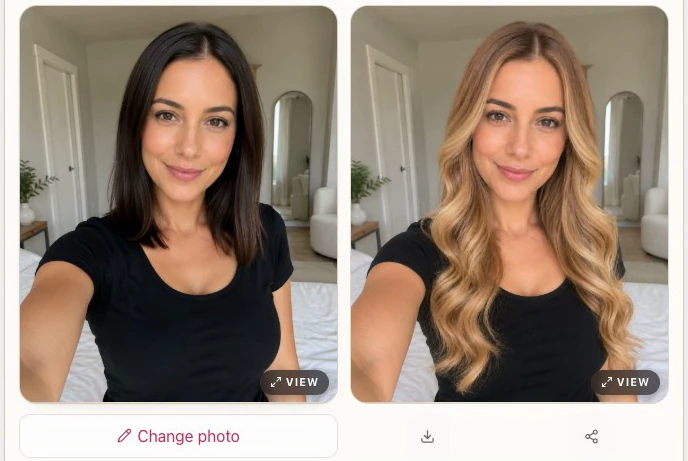
A real demo generation showing the original photo beside the AI preview.
Original customer selfies are automatically deleted from WigTryAI storage within 24 hours. Generated previews are automatically deleted within one year; account history and deletion exceptions are explained in the Privacy Policy.
Understand Credits and Link Controls
- One completed sponsored preview uses one seller credit. Failed or cancelled previews are refunded.
- Buy more try-ons for customers when you need them. A pack of 10 credits covers 10 completed previews across one or more customers. See the seller credit options and credits page.
- My Recommendations lists your owned links. Use Pause to disable a link when you retire a style, or Resume to make an eligible link available again.
- A paused link is not a changed reference. Create a new link when you need to replace the image; pause the old one so nobody opens the wrong style.
Read the Two Numbers Without Guessing Who the Buyer Is
Open My Recommendations to see Opens and completed Try-ons for each seller-owned link. These counts help you check whether a shared reference was used. You cannot see who opened it, and you do not receive customer contact details.
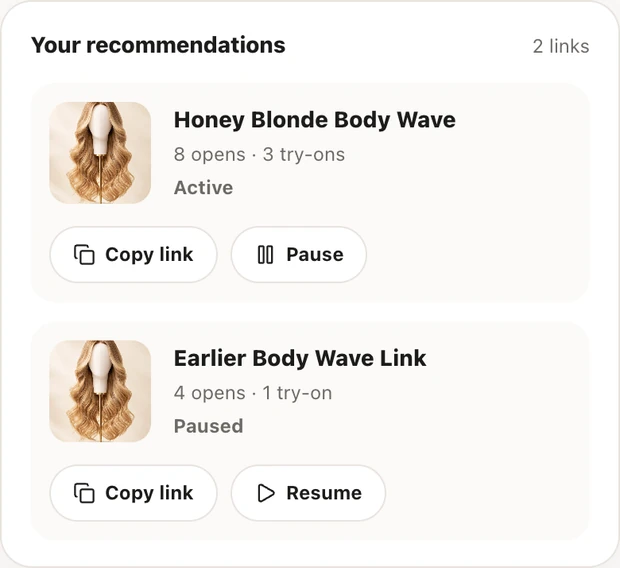
Example link counts in My Recommendations.
An open is not an order, and a completed preview is not proof of a sale. Keep the conversation and any purchase record in your own channel when you evaluate what happened next.
Three More Messages You Can Adapt
When she is choosing between two wigs
I made a separate link for each style so you can compare them on the same photo: [link A] and [link B]. Using the same selfie makes the difference in length and shape easier to see.
When you are discussing a custom order
Here is the style direction on your own photo: [link]. Tell me which details you would want changed, and we can discuss the custom notes before you decide.
When you want to leave the option open
No pressure—the link is here if you want to explore the style on your photo: [link]. The preview is only a visual direction, so send me any questions about the actual unit.
Choose a Reference That Makes One Difference Clear
Use a photograph where the hair is the clear subject, with even lighting and the important length and face-framing details visible. Avoid a collage of several units, heavy text across the hair, or a crop that removes the ends.
Choose a model or product image you have permission to reuse for this purpose. A visible social-media photograph does not automatically grant permission to republish it.
Keep the comparison specific: a shorter endpoint, a different wave pattern, or a new color direction. If you want to compare two wigs, make two links and ask the customer to reuse the same portrait.
What the Preview Cannot Tell the Buyer
An AI preview illustrates a similar hairstyle direction on the customer's photo. It can help her discuss silhouette, length impression, volume, color direction, and face framing.
It cannot establish exact color, density, lace pattern, parting, or curl pattern. It also cannot verify cap size, fiber quality, physical fit, installation, styling, or how the unit will look after washing and wear.
The demonstration below uses the same reference and portrait as the video. It is product evidence for the workflow, not a documented seller result or a promise about a physical wig.
Visual comparison
Reference, customer photo, generated interpretation
Read from the supplied style direction to the customer's own portrait, then to the generated preview. The face and background are demonstration assets.
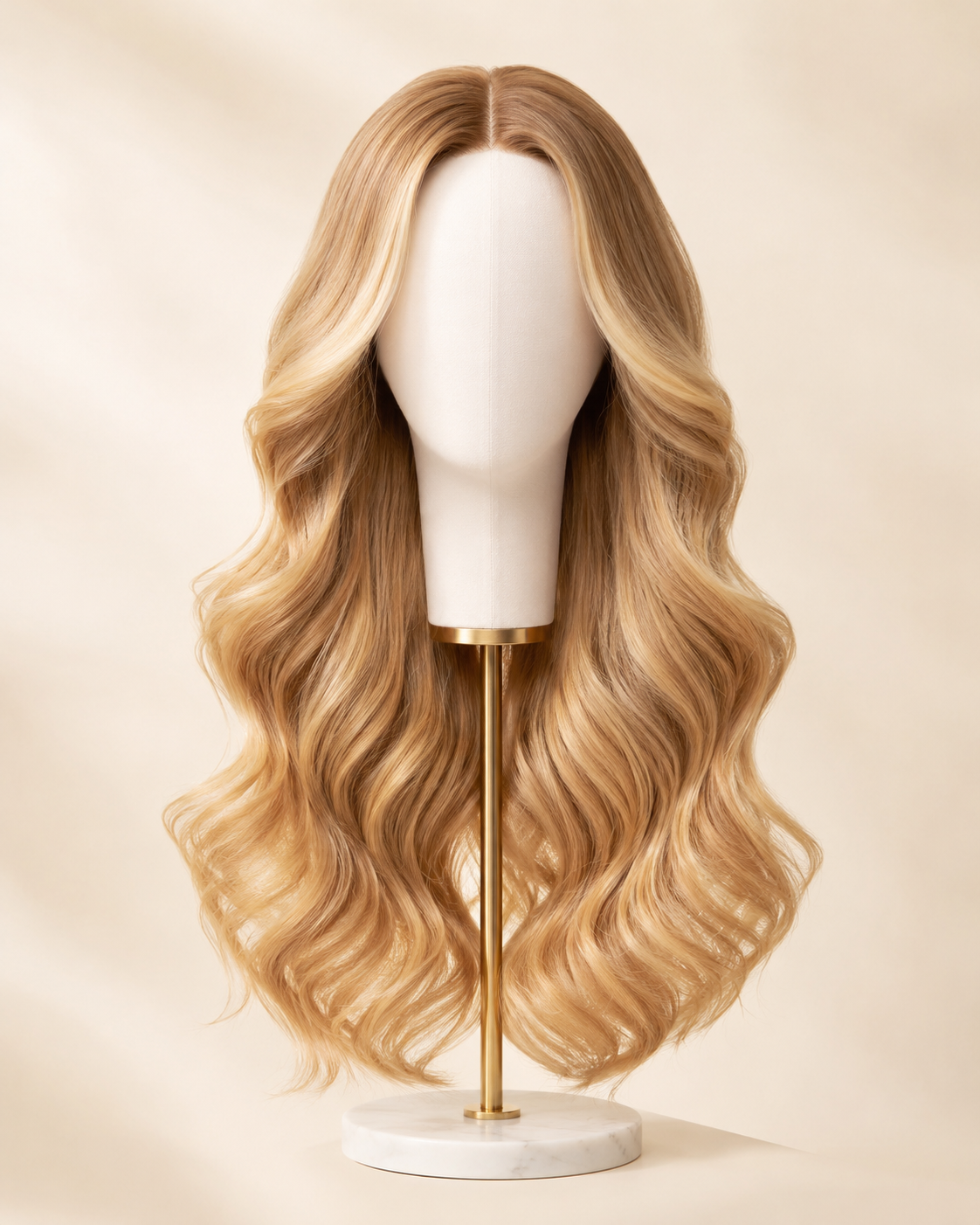
Wig reference
The supplied honey-blonde body-wave photograph provides the visible style direction.
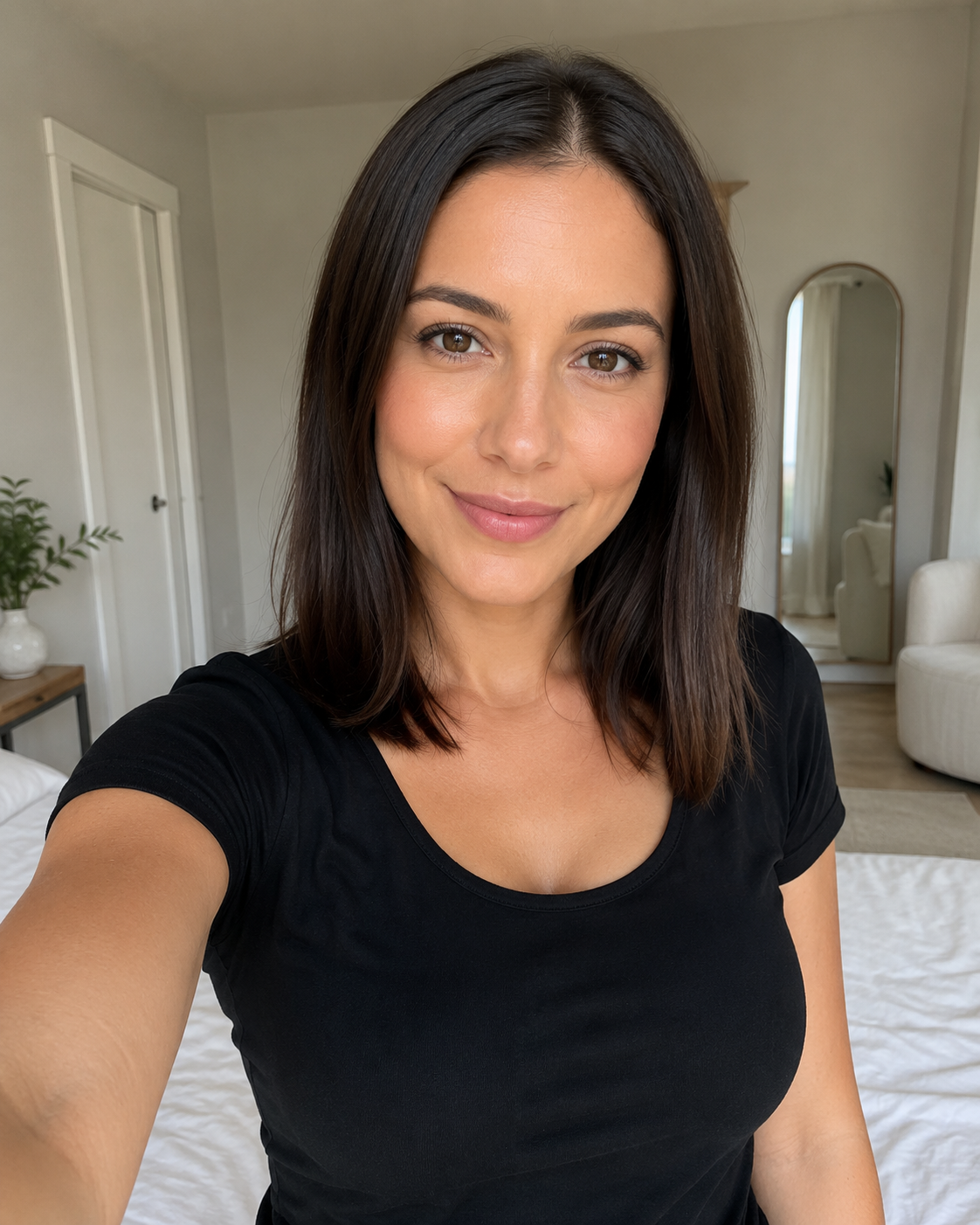
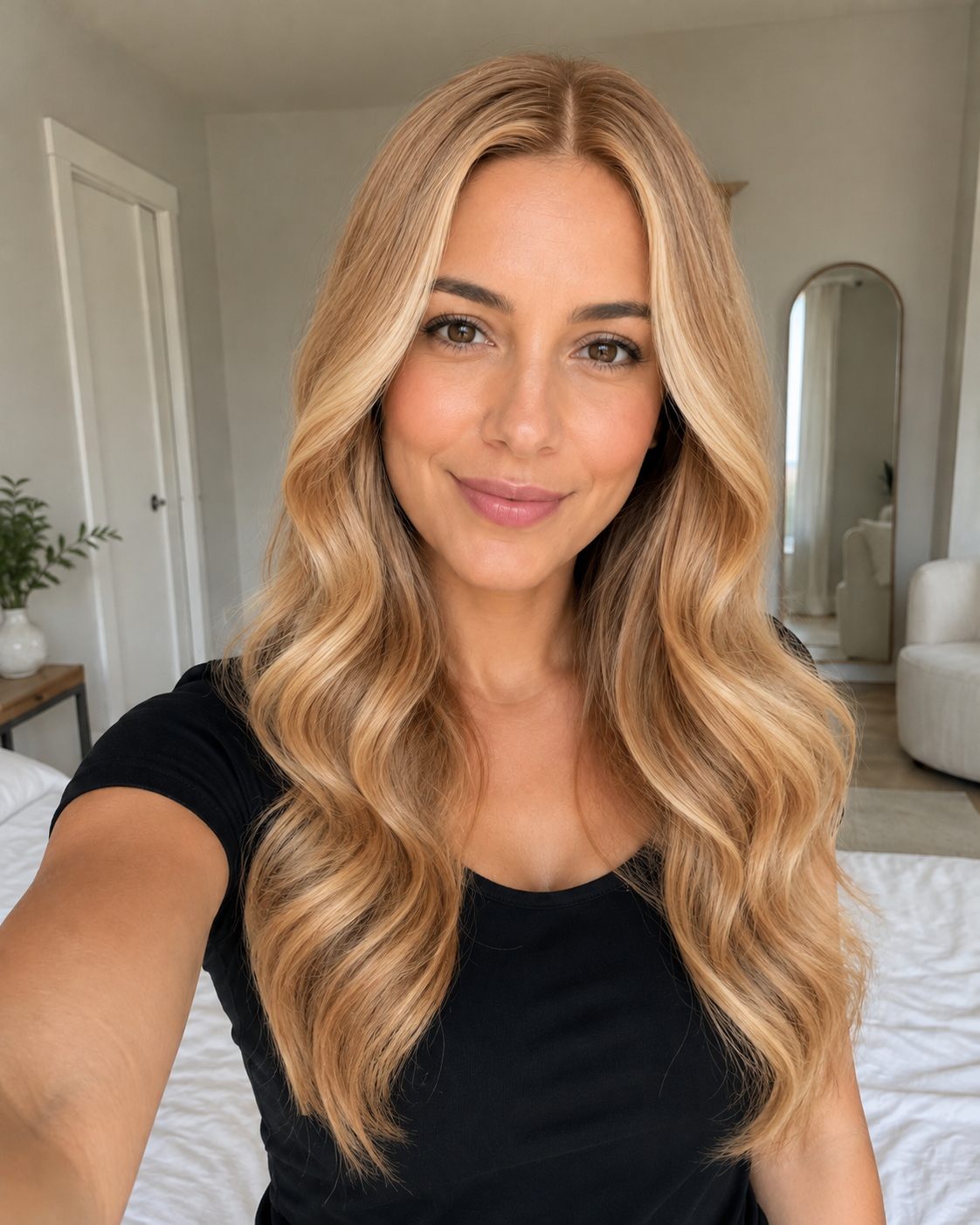
Original portrait
The unchanged demonstration selfie supplies the person's appearance.
AI preview
The generated image interprets a similar blonde wave direction; exact product details can differ.
Start with the wig customers already ask about
Choose one clear reference, create one link, and use it in one real conversation before making links for the rest of the catalog.
Create a free try-on linkFAQ
How many free try-ons does my customer get?
New customers get 3 free try-ons in total. They can try once as a guest and unlock 2 more free try-ons by signing in.
Does creating a link spend a credit?
Creating and sharing a link is free, including while signed out. Opening the link is free as well. When you cover a try-on, a completed preview uses 1 credit, and failed or cancelled previews are refunded.
Can I replace the photo in a link I already sent?
No. Create and share a new link with the new reference, then pause the old link in My Recommendations if it should no longer open. This prevents an old conversation from pointing to the wrong style.
Can my customer try more looks without buying credits?
Yes. When your active link has seller credits available, those credits can cover customer try-ons. If your balance runs out, the link can still be used with the customer's own available credits.
Can I see who opened my link?
No. My Recommendations shows opens and completed try-ons for each seller-owned link, not the visitor's identity or contact details. An open or preview does not prove a purchase.
Will the preview show the exact physical wig?
No. It shows an AI-generated interpretation of a similar style direction. Color, density, lace, parting, curl pattern, fit, fiber, installation, and styling can differ from the physical unit.