Virtual Wig Try-On vs AI Hairstyle Changers: What Each Preview Can—and Can't—Tell You
Understand the difference between hairstyle inspiration previews and product-specific wig previews, including the limits neither can verify.
Last updated: July 2026 · 8 min read
Written by the WigTryAI team. WigTryAI is our product and is described as a wig-inspired style preview, not an independent fit-testing service. Information checked: July 5, 2026. Product features and policies can change; confirm current details with the tool or wig seller.
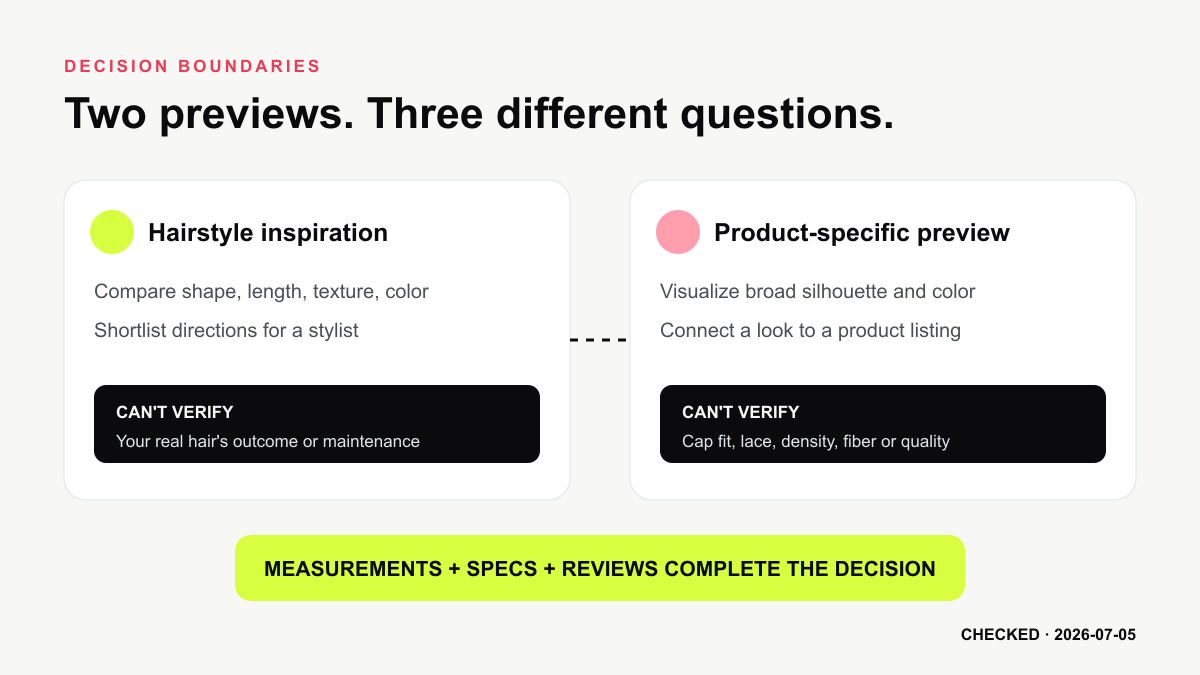 The useful distinction is the decision being supported—not a claim that every tool uses one technical pipeline.
Similar Images, Different Decisions
Both categories begin with a familiar action: upload a portrait and view different hair on your face. The important difference is what you are trying to learn.
- An AI hairstyle changer helps you explore shape, length, texture, color, and face framing.
- A product-specific wig preview helps you visualize a listed wig's general silhouette or color in the context of your face.
Some services blur the boundary. A hairstyle tool may include body wave, deep wave, braids, or other wig-inspired looks. A retailer may use generative AI rather than a simple product overlay. That is why the label alone does not tell you how the image was produced or what it can prove.
What Each Category Is Good For
| Question | Hairstyle inspiration preview | Product-specific wig preview |
|---|---|---|
| Would short or long framing suit this portrait? | Useful | Sometimes useful |
| Which broad color direction should I explore? | Useful | Useful when product colors are represented accurately |
| Does this exact wig match the listing silhouette? | No | Potentially useful as a visual reference |
| Will the cap fit my measurements? | No | No, unless a separate measurement system is explicitly provided |
| Is the fiber, lace, density, or construction good? | No | No—inspect specifications, reviews, and the physical product |
| Will my natural hair behave like this after a cut? | No | Not applicable |
Hairstyle Inspiration Preview
This category is strongest when your question is broad:
- Should I compare a bob with longer face-framing layers?
- Does a warmer or cooler color direction change the balance of my portrait?
- Do I prefer sleek, wave, curl, braid-inspired, or wig-inspired volume?
- Which two looks should I discuss with a stylist?
The output can make a choice more concrete, but it does not know your exact hair density, porosity, curl behavior, growth pattern, styling routine, or salon technique. Treat it as a visual hypothesis.
Product-Specific Wig Preview
This category is most useful when a retailer connects the preview to a particular listing. Ideally, the tool preserves recognizable product attributes such as:
- overall length and silhouette;
- parting direction;
- broad curl or wave pattern;
- listed color;
- general volume around the face and shoulders.
Even then, a generated image cannot confirm the physical item. Ask the seller for cap measurements, construction, density, fiber or hair type, lace details, return terms, and current product photos.
What a Photo Preview Cannot Verify
Cap fit
A normal front-facing portrait is not a substitute for head measurements. It cannot reliably confirm circumference, front-to-nape length, ear-to-ear distance, or whether a cap will feel secure.
Material and construction
An image cannot prove whether a wig is human hair or synthetic, how the lace looks at conversational distance, how dense the knots are, or how the fibers feel and move.
Exact color
Camera white balance, display calibration, indoor lighting, and image generation can all shift color. Use swatches and seller photos as well as the preview.
Real-world movement
A static result cannot show shedding, tangling, wind behavior, heat response, or how a style changes after washing.
Salon outcome
A hairstyle preview cannot promise that a cut or color will produce the same result on your natural hair. A stylist must account for texture, condition, previous chemical treatment, and maintenance.
Where WigTryAI Fits
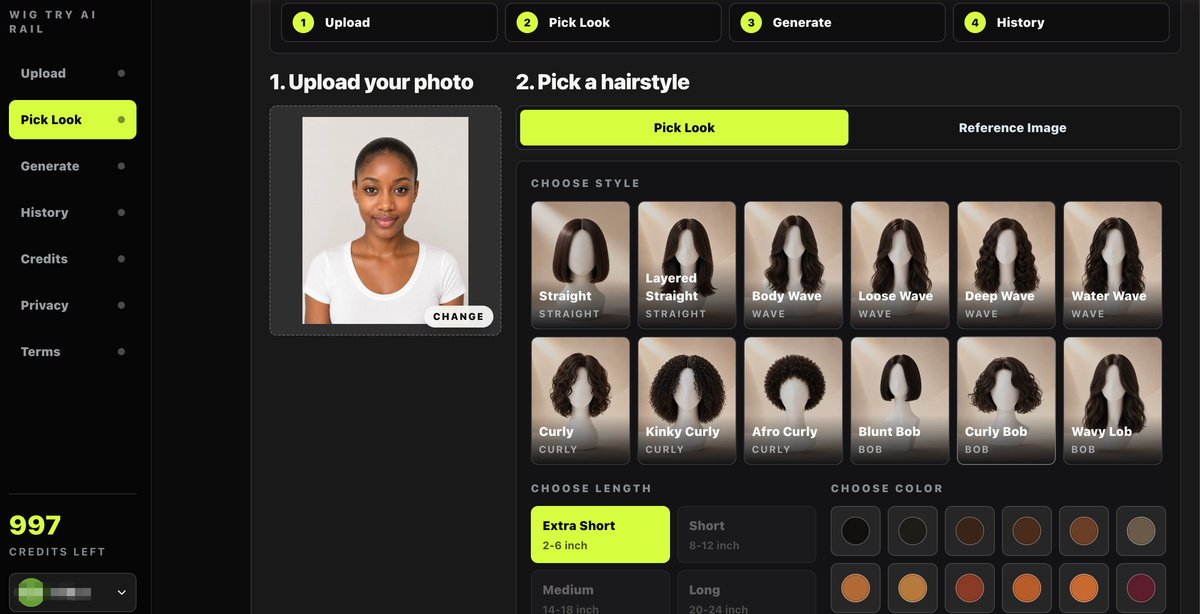 WigTryAI supports hairstyle and wig-inspired exploration; the image remains a visual preview, not a physical fit check.
WigTryAI combines hairstyle families, lengths, colors, and reference-image input. This makes it useful for questions such as "Do I prefer a short bob or long body wave?" and "Should I compare black with burgundy?"
It is not connected to a physical inventory and does not verify cap size, lace, density, material, seller accuracy, or product quality. Calling the experience "virtual wig try-on" describes wig-inspired visual exploration, not a fitting appointment.
A Better Decision Workflow
If you are considering a haircut or color
- Use the same clear selfie for every preview.
- Compare two meaningfully different silhouettes first.
- Keep color constant until you choose a shape.
- Take the shortlist to a stylist and ask what is achievable with your hair.
If you are buying a wig
- Use a preview to narrow the style and color direction.
- Check the listing's measurements, construction, density, material, and return policy.
- Measure your head using the seller's instructions.
- Review current customer photos and videos.
- Ask the seller to clarify anything the listing does not show.
If you are doing both
Start with a hairstyle preview to decide on a visual direction. Then move to product-specific listings and evaluate the physical details separately. Do not let a convincing generated image replace product research.
Bottom Line
Use an AI hairstyle changer for visual direction. Use a retailer's product preview for listing context. Use measurements, specifications, reviews, return terms, and professional advice for the real decision.
Neither category can guarantee fit, material quality, salon outcome, or an exact match between screen and reality.
Sources Checked
- WigTryAI Virtual Wig Try-On
- The Right Hairstyles product overview
- TheHairStyler Virtual Hairstyler
- UNice Virtual Wig Try-On
Editorial disclosure: WigTryAI is our product. This guide explains decision boundaries and does not certify any retailer, product, or preview system.